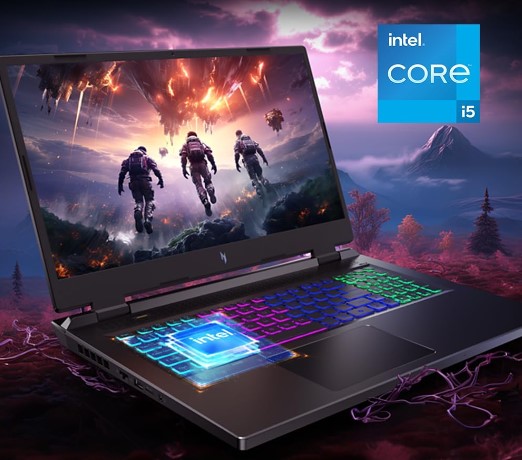
Best Intel Core i5 Processor Laptops 2026 (14th gen)
No question about it…Core i5 laptops still offer one of the best balances between performance and price.
In 2026, a recent Core i5 laptop (12th–14th gen) still has more than enough CPU power for gaming, school, work, and most creative software. Pair one with an entry-level dedicated GPU and it can handle AAA games like Call of Duty, Overwatch 2, and World of Warcraft very well.
The integrated graphics on newer Core i5 laptops are also enough for light gaming and casual 3D work in programs like AutoCAD and SolidWorks, as well as photo and light video editing in Photoshop and Premiere.
These two laptops are the hottest-selling Core i5 laptops as of September 2026:
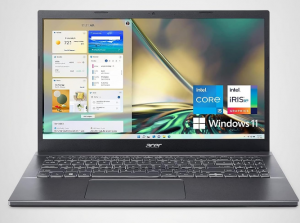
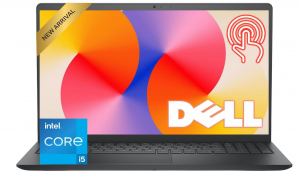
Now the problem is…
With so many Core i5 laptops, finding the best value takes time. For instance…many Core i5 laptops come without a dedicated GPU, yet some models include one for around the same price.
Also…
Let’s not forget cooling and thermal design!
A powerful CPU like the i5-13550H can underperform in thin laptops due to heat and power limits, so a more efficient chip like the i5-1335U or a Core i5-13550H with superb cooling may perform significantly better.
And don’t forget… You also want to max out on other stats (RAM, SSD, Display).
Hardware Specs For Core i5 Laptops
Before we dive into the 8 Best Core i5 Laptops of 2025, here are quick tips to help you choose the right one. If anything’s unclear, check the final section.
CPU
Intel CPU names can be tricky. Focus on the letter at the end:
The number at the start (10, 11, 12…) shows the generation—higher is newer and better.
7th-gen and older are much slower. 10th-gen and up bring big gains in speed, graphics, and multitasking—great for light gaming and creative work.
Top 8 Best i5 Laptops
This section is divided into two categories based on user needs:
Power Users (1-4): Gamers & professionals doing video/photo editing or 3D modeling. All these laptops include a dedicated GPU. Ex:
Basic Users (4-8): General consumers doing tasks like web browsing, video streaming, simple gaming, and basic photo or video editing.
1. Acer Aspire 5 RTX 2050
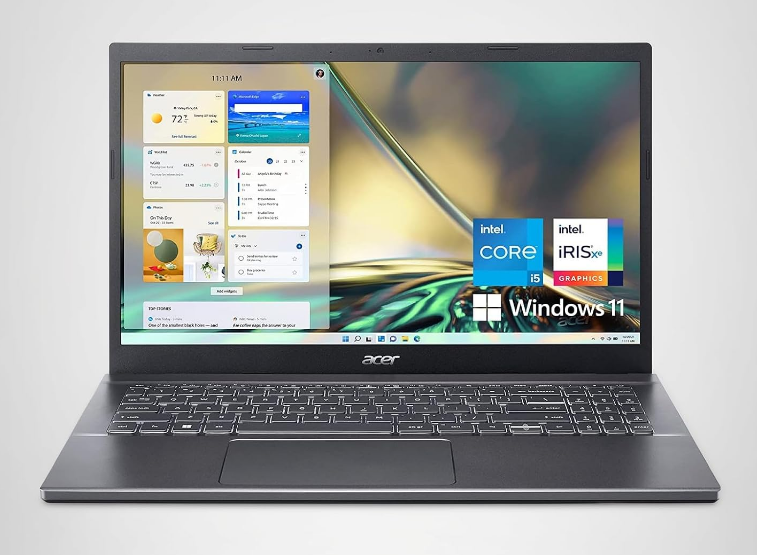
Best Core i5 Laptop for the Money
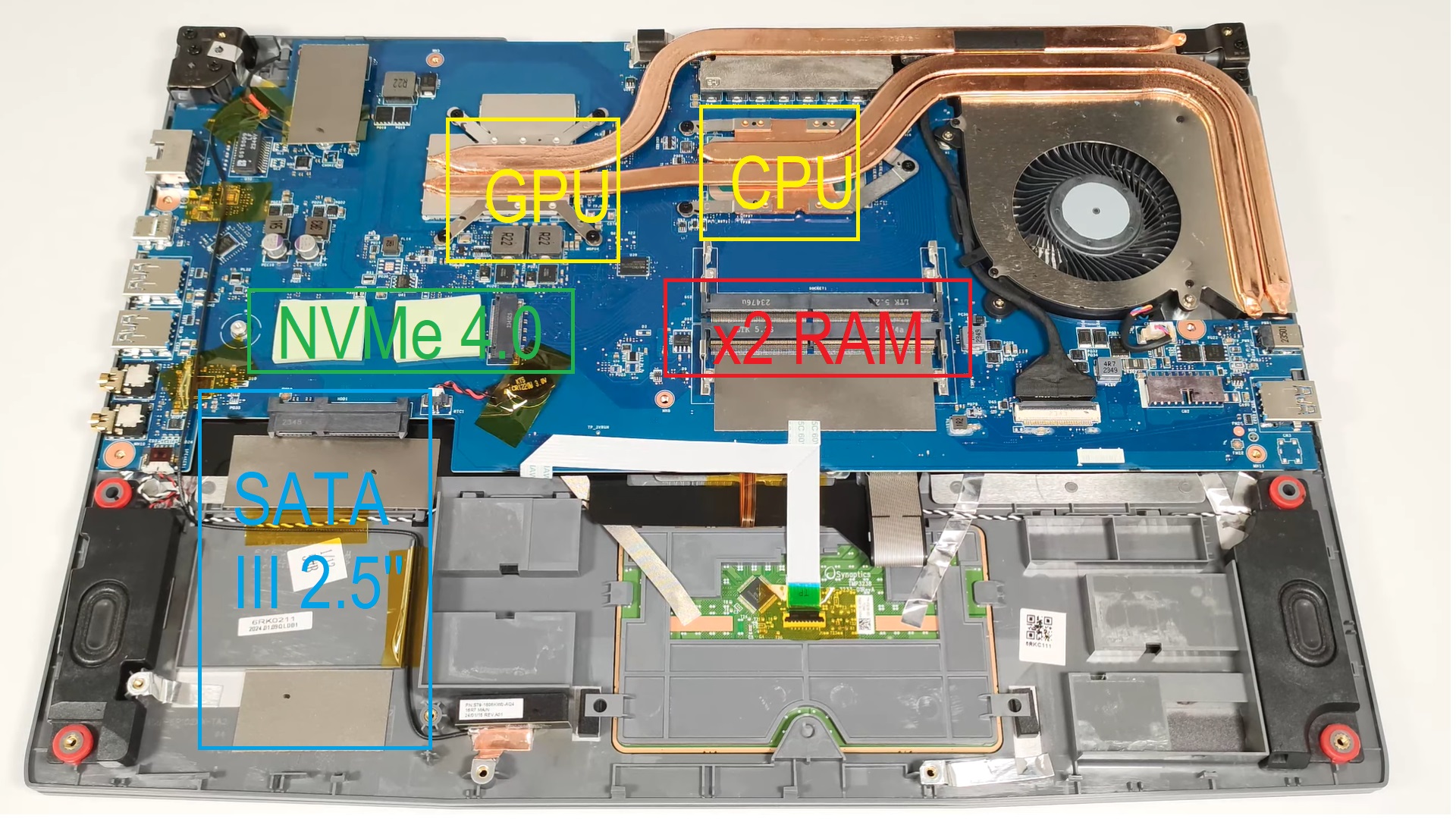
This is the Core i5 laptop I’d start with if you want dedicated graphics without paying gaming-laptop prices. You get a 12-core Core i5, RTX 2050, 16GB RAM and 512GB SSD while avoiding the $200-$300 premium currently attached to many Core i5 H-series gaming laptops.
Core i5-1240P vs H-Series
RTX 2050
3D, Photo & Video Editing
Design
2. Dell 15.6″ Touchscreen
Best Budget Core i5 Laptop
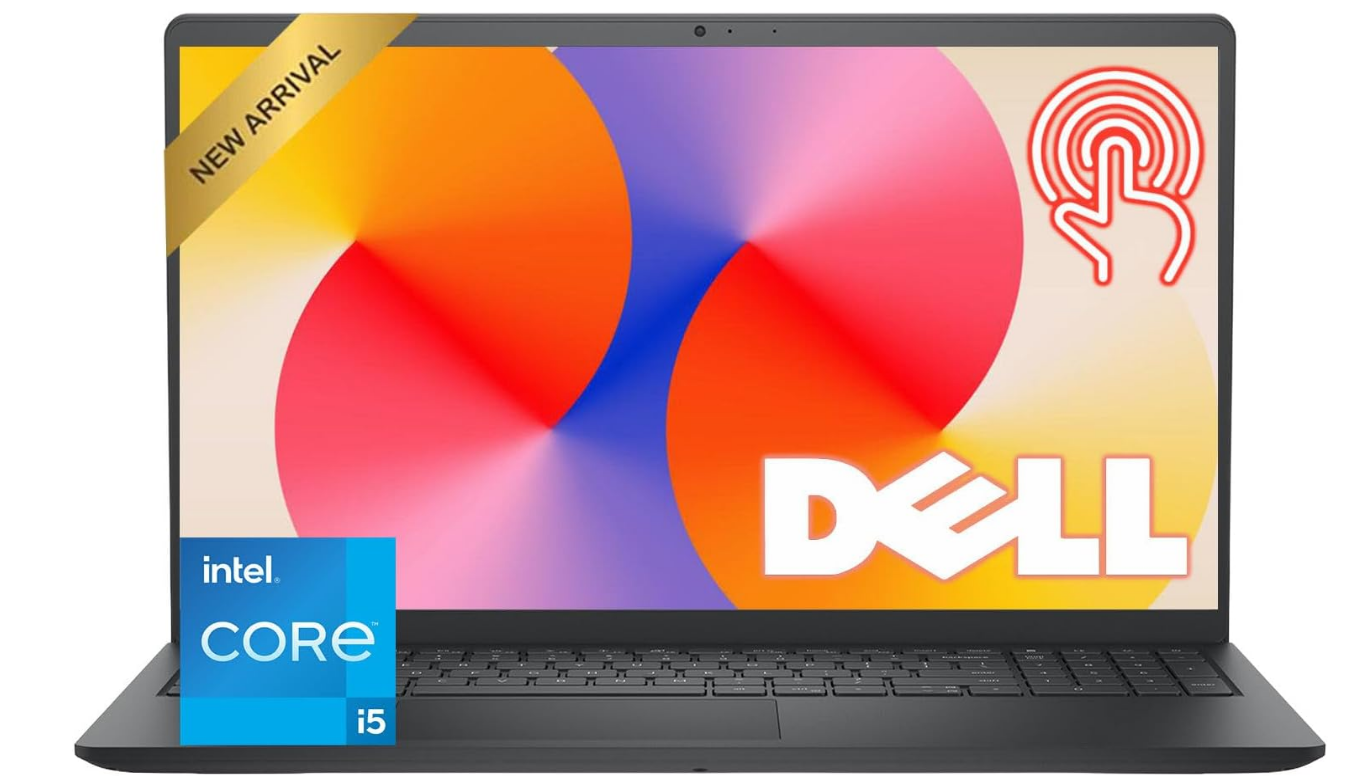
You don’t need the newest high-performance Core i5 just for school or office work. This Dell keeps the price down with a 13th-gen Core i5-1334U while still giving you 8GB RAM, a 512GB SSD and a 15.6-inch Full HD touchscreen.
Hardware
FHD Touchscreen
Business & Study Use
3. Acer Nitro V
Best Core i5 Laptop with RTX 4050
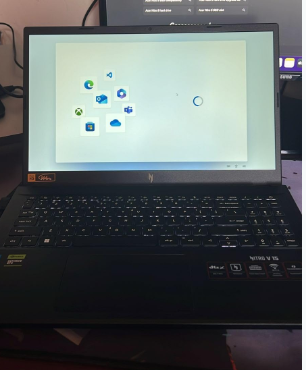
This is where I’d move up if you need substantially more GPU performance than the RTX 2050. The Core i5-13420H and RTX 4050 are a strong combination for gaming, 3D work and video editing without jumping into much more expensive hardware.
Performance
Photo & Video Editing
3D Modeling
Design & Upgrades
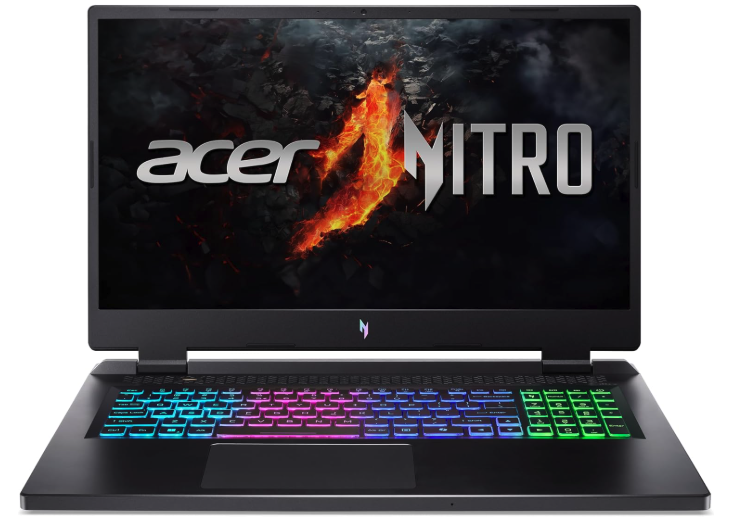
4. Acer Nitro 7
Best Core i5 Laptop CPU
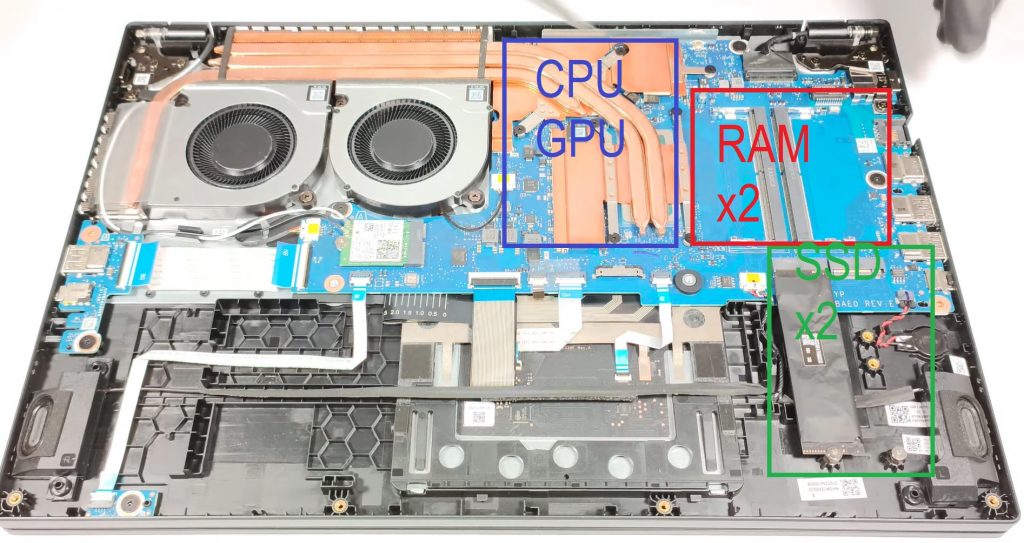
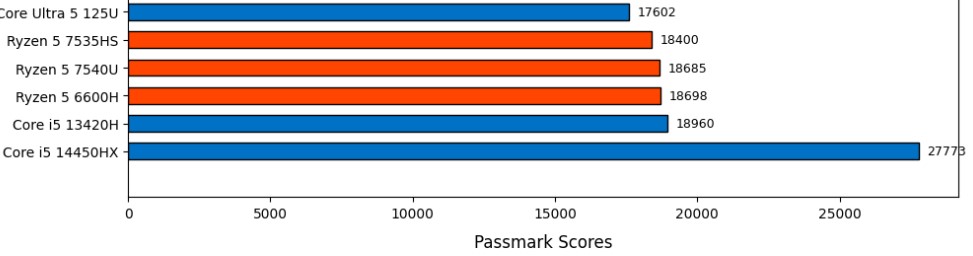
If CPU performance is your priority, the Core i5-14450HX sits at the high-performance end of the Core i5 family. The catch is price: for gaming, the extra CPU power often matters less than spending the same money on a stronger GPU.
Core i5-14450HX
Where the Extra CPU Power Matters
Design
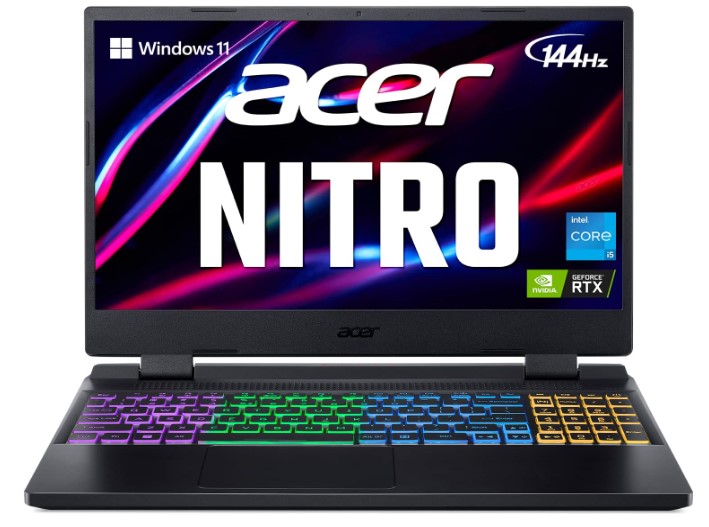
5. Acer Nitro 5 AN515
Best Core i5 Laptop with RTX 3060
This is the option for anyone specifically after a 6GB vRAM GPU. The RTX 3060 may be older than the RTX 4050, but higher-wattage versions can still be extremely competitive and remain excellent for gaming, 3D work and video editing.
RTX 3060 vs RTX 4050
Performance
Who Actually Needs It?
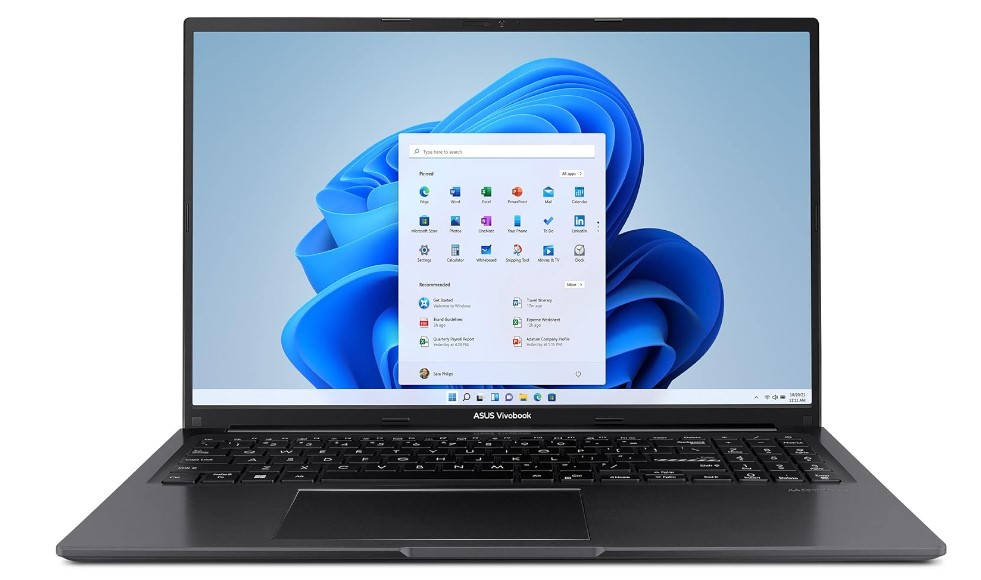
6. ASUS VivoBook 16
Best ASUS Core i5 Laptop
This is still one of my favorite designs on the list because of the 16-inch screen and spacious keyboard. If most of your day is spent typing or looking at documents, those two features can matter more than having a dedicated GPU.
Hardware
RAM
16-inch Design
7. Surface Pro 13-inch
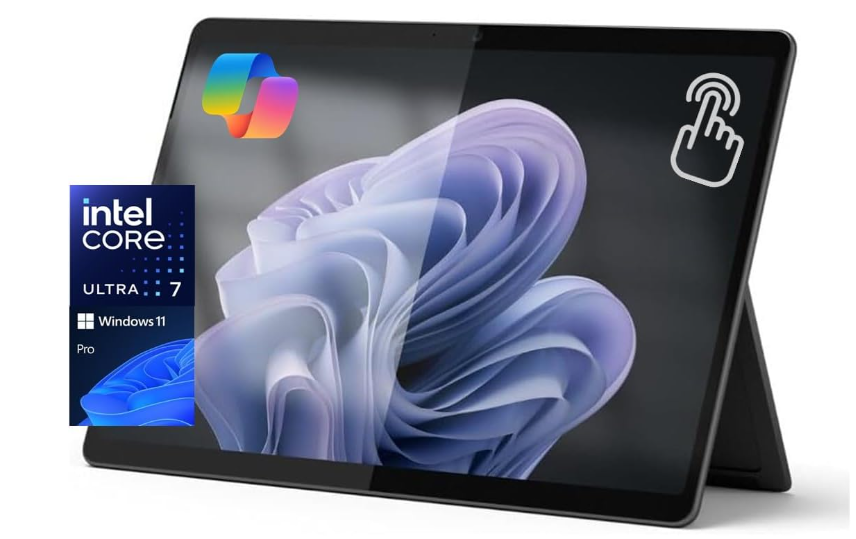
Best 2-in-1 Core i5 Alternative
The latest Surface Pro no longer uses a Core i5, but it still fills the same role: an extremely light Windows machine for students, professionals and anyone who wants a tablet and laptop in one.
Hardware
2-in-1 Design
Keyboard & Desktop Use
Battery & Students
8. MacBook Air
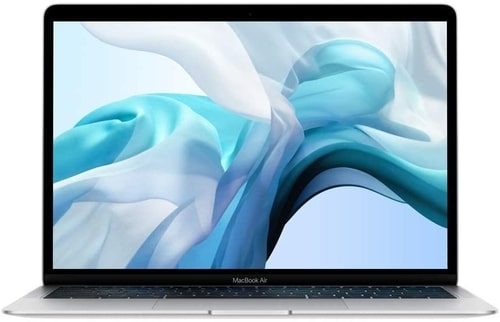
Best MacBook with Core i5
This is here specifically for people searching for an Intel Core i5 MacBook. Apple has long since moved away from Intel, so an Intel Air mainly makes sense today if you find one at a substantially lower price.
Intel MacBook vs New MacBooks
Design
SSD & macOS
Battery & Value
How To Buy The Best i5 Laptop
For this article, I’ll focus specifically on Core i5 laptops and the newer Intel processors that now occupy the same performance tier.
One important change for 2026 is Intel’s naming. You’ll still find plenty of Core i5 laptops using 12th, 13th, and 14th-generation CPUs, but newer models may instead be called Core 5 or Core Ultra 5. They occupy roughly the same mainstream performance category, although the architectures and features can be very different.
If you’re interested in learning about other CPU lines, check out my Core i3 article and the Core i7 laptops in the last section, where you’ll find a guide written in a similar format.
For this article, I’ll assume you have some knowledge of basic computer jargon, as Core i5-class laptops generally offer one of the best balances between performance and budget. If not, take a look at my beginner guides to quickly get up to speed on basic computer terminology and concepts.
Processor
Obviously, the best place to start is with the processor. Before diving into all the labels and specs—generation, performance, core count, and so on—let’s talk about some core features of Intel Core i5 CPUs to set the stage.
You’re probably familiar with what “cores” mean, right? But just in case: cores are essentially individual processing units within a CPU. A multi-core CPU is like having several processors working together, making it possible to run multiple programs—think Zoom, gaming, Discord, browsers, and other apps—without causing major slowdowns.
Hyper-Threading (HT) was especially important on older Core i5 CPUs. A 4-core, 8-thread Core i5, for example, could work on eight instruction threads at once, which helped with intensive workloads such as video rendering, 3D modeling, and heavy multitasking.
Starting with Intel’s 12th generation, things became more complicated. Intel introduced P-cores (Performance cores) and E-cores (Efficiency cores). Newer Core Ultra processors can also include low-power efficiency cores, so you can no longer assume that the number of threads will simply be twice the number of physical cores.
Why Wait for Newer Core i5 CPUs?
With the 12th generation, Intel shook things up by introducing its hybrid architecture with P-cores and E-cores. In simple terms, P-cores handle demanding high-performance tasks such as gaming or rendering, while E-cores can take care of background and lighter tasks. This makes 12th-gen Core i5 CPUs particularly effective in heavy multitasking scenarios such as gaming while streaming at the same time.
The 13th and 14th generations refined this hybrid architecture further. Higher-tier models increased core counts and clock speeds, improving performance when running CPU-intensive apps together—for example, streaming through OBS Studio while gaming or working with Adobe Premiere Pro.
By 2026, Intel has moved beyond the traditional “Core i5 generation” naming on its newest laptop CPUs. You’ll now see Core 5 and Core Ultra 5 processors, including Series 3 models. These newer chips continue the mixed-core approach while putting more emphasis on power efficiency, integrated graphics, and dedicated hardware for newer AI workloads.
So while an 11th-gen Core i5 is still perfectly usable for everyday tasks, newer 12th-gen through 14th-gen Core i5 CPUs—and especially newer Core 5/Core Ultra 5 systems—offer stronger multitasking, better efficiency, and generally much better platform features.
Everyone’s probably heard of Turbo Boost by now. When you see a CPU specification that says “Up to XX GHz,” that usually refers to its maximum turbo frequency. Turbo Boost allows the processor to temporarily operate at higher clock speeds when extra performance is needed.
The processor doesn’t necessarily sit at that maximum speed all the time. Modern CPUs automatically adjust their clock speeds according to workload, temperature, and available power. A laptop with a better cooling system can usually sustain higher performance for longer, which is why cooling becomes important when gaming, rendering, compiling, or doing other CPU-heavy work.
Intel CPU Labels: U, G vs. H, HX
Now, let’s break down those Intel processor labels. Some older labels such as G and Y are still useful when looking at older Core i5 laptops, while newer Intel laptops more commonly use labels such as U, H, HX, and V.
H and HX CPUs are high-performance mobile processors, ideal for demanding applications such as gaming, 3D modeling, CAD, and video editing. They usually have higher power limits and are commonly found in larger laptops with stronger cooling systems. HX sits at the highest-performance end of Intel’s laptop lineup.
U-series processors are designed around lower power consumption. They still offer plenty of performance for everyday tasks, office work, moderate multitasking, and light editing while generally giving you much better battery life than H/HX systems.
G-series labels are mainly something you’ll encounter on older Intel generations, where the number following the G indicated the integrated-graphics level.
M and Y CPUs were designed for ultra-thin, highly portable laptops. They’re efficient but much more limited in performance than H-series processors. You’ll mainly encounter these labels when looking at older systems in 2026. They’re fine for web browsing and document editing but aren’t a good choice for gaming or demanding applications.
Choosing the Right Series for Your Needs
If you’re into gaming, video editing, or using software like AutoCAD or Blender, an H or HX CPU is the safer choice. These high-performance CPUs are designed to handle sustained heavy workloads and are often paired with dedicated GPUs.
For most people who don’t need that level of power, U-series CPUs are great choices. They provide enough speed for daily tasks, moderate multitasking, and basic photo or video editing. Because they consume less power, they can also improve battery life and allow for thinner, lighter laptops.
M and Y CPUs are typically found in older ultra-thin and light laptops. They’re fine for basic web browsing, watching videos, and document work, but don’t expect them to handle modern gaming or professional editing workloads well.
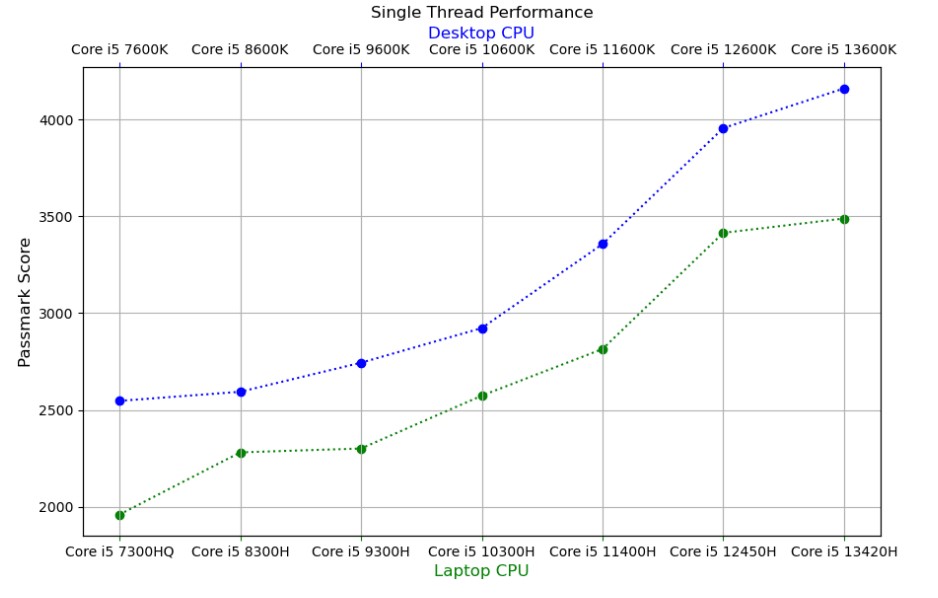
Intel Core i5 CPUs don’t disappear when a new generation is released, so you’ll often see several generations on the market at the same time. Here’s a quick overview of the major performance shifts:
- 6th Gen (Skylake): Improved efficiency, battery life, CPU performance, and integrated graphics over earlier generations.
- 7th Gen (Kaby Lake): A smaller improvement over 6th-gen, with higher clock speeds and better media capabilities.
- 8th & 9th Gen (Coffee Lake): A major jump in multi-core performance as core counts increased across mainstream laptops.
- 10th Gen (Ice Lake & Comet Lake): Improved clock speeds and efficiency, while Ice Lake also brought much stronger integrated graphics.
- 11th Gen (Tiger Lake): Improved single-core performance and introduced Intel Iris Xe graphics across many mainstream laptops.
- 12th Gen (Alder Lake): Introduced Intel’s hybrid P-core and E-core architecture, producing a major improvement in multitasking and multi-core performance.
- 13th Gen (Raptor Lake): Expanded on the hybrid design with higher clock speeds and, on many models, additional E-cores.
- 14th Gen (Raptor Lake Refresh): Refined the 13th-generation design with higher clocks and incremental performance improvements.
- Core Ultra Series 1 (Meteor Lake): Introduced Intel’s newer Core Ultra branding, tiled architecture, stronger integrated Arc graphics on supported models, and an integrated NPU.
- Core Ultra Series 2: Brought another major efficiency and integrated-graphics update across newer Intel laptop platforms.
- Core / Core Ultra Series 3 (2026): Intel’s newest mainstream laptop generation in 2026, including Core 5 and Core Ultra 5 processors with updated CPU, integrated-graphics, efficiency, and AI hardware.
What about 4th gen and earlier? These CPUs are now extremely old for a laptop you plan to use in 2026 and may struggle with current operating systems, modern software, battery efficiency, and newer hardware requirements. Unless the laptop is practically free and you only need very basic tasks, they’re best avoided.
Armed with this knowledge, you can try to estimate the performance of a random Core i5 CPU. For example: Is a Core i5-8250U faster than a Core i5-9300H? Is the Core i5-8300H faster than the Core i5-8250U? The generation matters, but so does the CPU series and power class.
RAM
Storage
Stick with SSDs. They’re much faster and are standard on virtually every modern Core i5/Core 5 laptop. HDDs are now mainly useful as inexpensive secondary storage rather than as the main system drive.
SSDs are especially useful for booting Windows, opening applications, loading games, and working with large files. They can reduce operations that once took a long time on an HDD to just a few seconds.
Within SSDs, you’ll see different PCIe NVMe generations. PCIe 4.0 is extremely common, while PCIe 5.0 appears on newer high-performance laptops. The extra sequential speed is most useful when transferring very large files or working with storage-heavy photo and video projects. For ordinary programs and everyday use, the difference is much less noticeable.
Graphics Cards
When shopping for Core i5/Core 5 laptops, you’ll find a mixture of integrated graphics and dedicated GPUs. Dedicated graphics are much more common once you move into gaming, workstation, and high-performance H/HX laptops.
Integrated graphics are built into the processor. Even many laptops with a dedicated NVIDIA or AMD GPU also have integrated graphics and switch between them to reduce power consumption when the dedicated GPU isn’t needed.
They’re perfectly fine for everyday tasks such as Zoom, streaming, YouTube, office work, basic photo editing, and basic video editing. Older Intel UHD graphics are much weaker for demanding 3D applications and modern AAA gaming, although lowering resolution and graphics settings can make some games playable.
The situation is much better on newer Intel laptops. Modern Core Ultra processors can use substantially stronger integrated Intel Arc graphics, including newer Intel Arc solutions. These are still not replacements for a powerful dedicated GPU in demanding professional 3D work, but integrated graphics in 2026 are considerably more capable than the old UHD 610/615/620 generation.
This is what you want if you’re running applications that require serious GPU performance or GPU-accelerated effects: gaming, 3D modeling, rendering, video editing, and some photo-editing workloads.
High-performance H/HX laptops are often paired with a dedicated GPU. NVIDIA remains extremely common in this category, so the table below gives you a rough idea of the NVIDIA laptop GPUs you may encounter when shopping new, discounted, or used systems in 2026.
| GPU | CUDA Cores | vRAM | Boost Clock |
|---|---|---|---|
| MX150 | 384 | 2GB–4GB | Up to 1532 MHz |
| MX250 | 384 | 2GB–4GB | Up to 1582 MHz |
| MX330 | 384 | 2GB | Varies by laptop |
| MX450 | 896 | 2GB | Varies by laptop |
| GTX 1050 | 640 | 2GB–4GB | Up to 1493 MHz |
| GTX 1050 Ti | 768 | 4GB | Up to 1620 MHz |
| GTX 1650 | 1024 | 4GB | Varies by laptop |
| GTX 1650 Ti | 1024 | 4GB | Varies by laptop |
| GTX 1660 Ti | 1536 | 6GB | Varies by laptop |
| RTX 2060 | 1920 | 6GB | Varies by laptop |
| RTX 3050 | 2048–2560 | 4GB / 6GB | 990–1740 MHz |
| RTX 3050 Ti | 2560 | 4GB | 1035–1695 MHz |
| RTX 3060 | 3840 | 6GB | 1283–1703 MHz |
| RTX 3070 | 5120 | 8GB | 1290–1620 MHz |
| RTX 3070 Ti | 5888 | 8GB | 1035–1485 MHz |
| RTX 3080 | 6144 | 8GB / 16GB | 1245–1710 MHz |
| RTX 3080 Ti | 7424 | 16GB | 1125–1590 MHz |
| RTX 4050 | 2560 | 6GB | 1605–2370 MHz |
| RTX 4060 | 3072 | 8GB | 1470–2370 MHz |
| RTX 4070 | 4608 | 8GB | 1230–2175 MHz |
| RTX 4080 | 7424 | 12GB | 1350–2280 MHz |
| RTX 4090 | 9728 | 16GB | 1455–2040 MHz |
| RTX 5050 | 2560 | 8GB GDDR7 | 1500–2662 MHz |
| RTX 5060 | 3328 | 8GB GDDR7 | 1455–2497 MHz |
| RTX 5070 | 4608 | 8GB GDDR7 | 1425–2347 MHz |
| RTX 5070 Ti | 5888 | 12GB GDDR7 | 1447–2220 MHz |
| RTX 5080 | 7680 | 16GB GDDR7 | 1500–2287 MHz |
| RTX 5090 | 10496 | 24GB GDDR7 | 1597–2160 MHz |
Note: Laptop GPU clock speeds and performance can vary significantly with the laptop’s configured GPU power limit and cooling system, even when two laptops use the same GPU name.
Battery Life
Battery life varies considerably depending on the type of Core i5/Core 5 processor and whether the laptop also includes a powerful dedicated GPU.
If you go for a high-performance H/HX model with a powerful dedicated GPU, don’t expect long battery life while gaming, rendering, video editing, or doing other intensive tasks. Under those workloads, a gaming laptop may only last a few hours and will usually need to be plugged in to deliver its full performance.
If battery life is a priority, look toward lower-power U-series systems or newer efficiency-focused Core 5/Core Ultra 5 laptops. Battery life still depends heavily on the display, battery capacity, laptop design, and workload. Lowering screen brightness and disabling wireless features you aren’t using can also stretch the battery further.
Comments?
If you have suggestions, questions, or recommendations, please leave a comment below.
