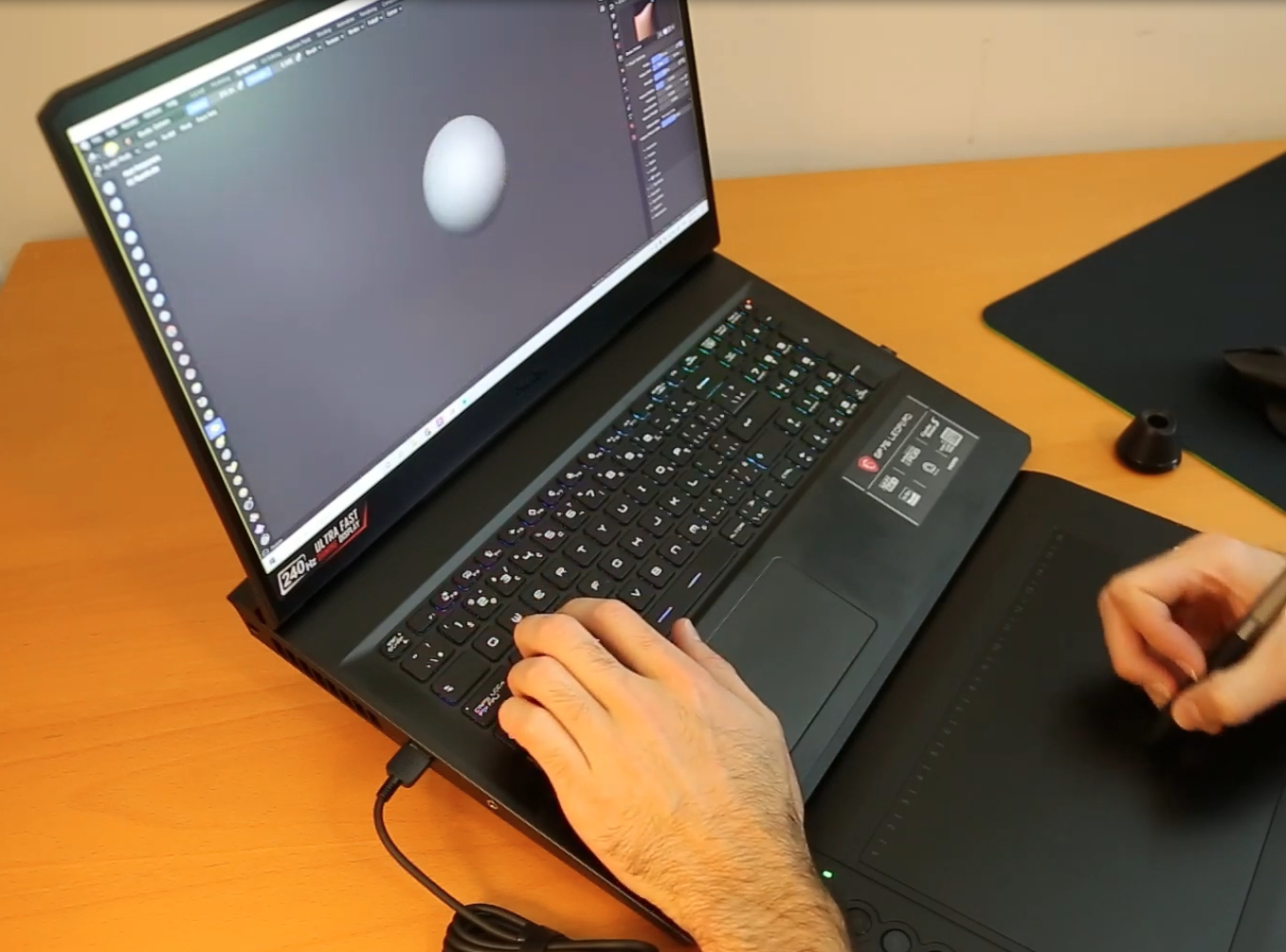
The Best Laptop for 3D modeling & Rendering 2025
Whether you draft a house in AutoCAD, sculpt characters in Blender, assemble engines in SolidWorks, design campuses in Revit, or animate scenes in Maya, the #1 goal is the same: lag‑free viewport performance & super fast final rendering.
3D modeling is interactive; if the model stutters while you orbit, you lose time.
Rendering is time consuming. If you don’t have enough CPU power, it can take hours.

Below we merge the hardware lessons from our specialized posts (AutoCAD, SolidWorks, Revit, Animation (3D)) into one definitive 2025 buyer’s guide for ALL 3D Modeling software.
Quick‑Spec Cheatsheet (small ↔ large projects)
| Component | Light Project | Medium Project | Heavy Project |
|---|---|---|---|
| Animation 🌀: < 100 k polys • < 4 lights CAD/BIM 🏗️: < 50 MB file SolidWorks/AutoCAD ⚙️: < 100 parts |
Animation 🌀: 100 k – 1 M polys • 4 – 20 lights CAD/BIM 🏗️: 50 MB – 1 GB file SolidWorks/AutoCAD ⚙️: 100 – 1 000 parts |
Animation 🌀: > 1 M polys • > 20 lights + 4 K textures CAD/BIM 🏗️: > 1 GB file SolidWorks/AutoCAD ⚙️: > 1 000 parts |
|
| CPU ⚙️ | 4.2 GHz+ Ex: Core i5-13420H Ryzen 5-7535HS |
4.5 GHz+ Ex: Core i7-14700H Ryzen 7-8845HS |
5.0 GHz+ Core i7/i9-HX Ryzen 9-HX |
| GPU 🎨 (vRAM) | 2–4 GB RTX 2050 · GTX 1650 |
4–6 GB RTX 3050 · RTX 4050 |
6–16 GB RTX 3060 → 4070 Ada 3000/5000 |
| RAM 🧠 | 8 GB (upgrade-able) | 16 GB ✔ | 32 – 64 GB |
| Storage 💾 | 256 GB SSD | 512 GB – 1 TB SSD | 1 – 2 TB PCIe SSD |
Best Laptop Specs For 3D Modeling & Rendering
CPU
Clock Speed > Core Count
Modeling, sketching, and viewport actions in Animation software will be multi-threaded. Whereas in 3D CAD software will be somewhere in the middle but learning more towards single-threaded. Rendering engines (Arnold, V‑Ray, KeyShot) do scale with cores, but gains flatten beyond 10 cores on laptops.
Since most laptops have plenty of cores (6-8 which means 12-18 threads) your focus should be clock speed over # cores.
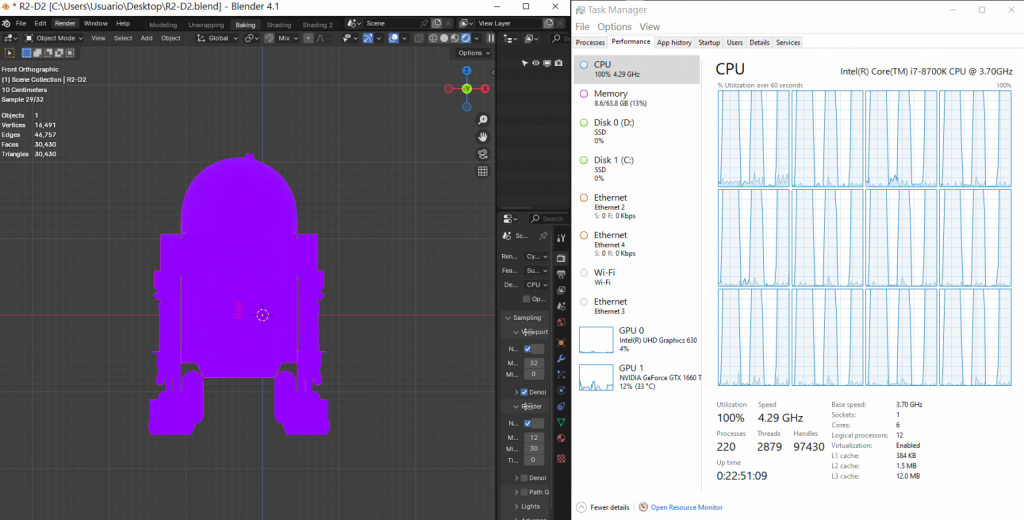
Rule of thumb: buy the fastest clock you can afford; core count comes for free on modern H‑series chips.
GPU
Focus on vRAM First
Viewport FPS hinges on two things: CPU clock and GPU vRAM. The core/shader count matters less than having enough local memory to load textures & geometry.
• Light models: 4 GB vRAM (RTX 2050/3050) is plenty.
• Medium models: 6 GB vRAM (RTX 3060/4050) keeps SolidWorks/Maya from choking.
• Heavy models: 8‑16 GB vRAM (RTX 4070/4080 or Ada 5000).
Workstation GPUs share silicon with gaming cards; buy them only to unlock vendor‑locked plug‑ins or when you need 12‑16 GB ECC vRAM.
RAM
8 GB – entry‑level; upgrade sooner rather than later.
16 GB – sweet‑spot for most 3D Modeling users.
32 GB – eliminates viewport swaps on 1 GB+ files; speeds CPU rendering.
64 GB – niche. Ex: dense MEP models or 8 K texture baking.
RAM upgrades are cheap: prioritise SODIMM slots over pre‑installed capacity. You can then read my guide here on how to upgrade RAM.
Storage
Any NVMe SSD tops out SATA drives in boot & load times.
PCIe 4 is enough. PCIe 5 gains are only visible when you copy gigabytes all day.
Spend money on capacity: 256 GB (school), 512 GB (mixed CAD), 1 TB+ (pro pipelines).
Display
• FHD (1920×1080): bare minimum.
• QHD (2560×1440): sweet‑spot; double the canvas without tiny UI elements.
• 4 K OLED: gorgeous but power‑hungry & pricey.
A matte IPS 15″ panel strikes the best balance between portability and comfort.
3 Classic Buying Mistakes (Don’t Repeat Them)
- Chasing core‑count instead of high boost clocks.
- Overspending on vRAM when the real choke‑point is RAM.
- Ignoring upgradability: soldered 8 GB RAM will haunt you in year 2.
Use the table above as a shopping checklist, then head to our weekly‑updated Best Laptop Deals page to snag a model that matches your specs. If you already own a laptop, upgrading RAM & swapping to a larger NVMe often nets bigger gains than jumping to the next GPU tier.
Top 5 Best Laptops for 3D Modeling
🏆 First up: a future-proof powerhouse that covers ≈ 95 % of readers—no matter if you live in AutoCAD, Solidworks, Maya, Revit, or Blender. Followed by a:
- ⚡ Flagship Pick – balanced specs, ready for multi-year workflows.
- 💰 Budget Options – trimmed GPUs & CPUs ideal for students and light scenes.
- 🚀 Niche / Pro Tier – high-vRAM workstations for VFX, massive BIM files, or GPU render farms.
Scroll down to choose the tier that matches your project size and budget. Each section explains why its hardware makes sense—and when to spend (or save) your money.
1. Acer Nitro 17
The Best Laptop For 3D Modeling & Rendering – Professionals 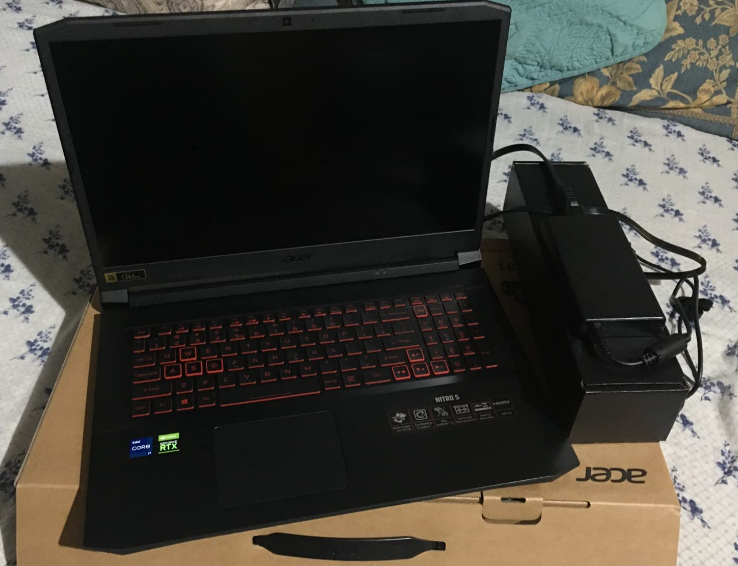
Intel Core i7-14650HX
16 GB DDR5 (2 × 8 GB, up to 64 GB)
NVIDIA RTX 4060 Laptop GPU (8 GB GDDR6, 140 W TGP)
1 TB PCIe 4.0 NVMe SSD + empty M.2 slot
17.3″ QHD (2560 × 1440) 165 Hz IPS
6.8 lbs / 3.1 kg
≈ 2 h on heavy 3D load

GPU — Why the RTX 4060 (8 GB) Is the 2025 Sweet Spot
• Architecture & BIM: 8 GB vRAM lets you orbit Revit/Rhino models well past LOD 300 without texture swaps.
• SolidWorks / AutoCAD 3D: Handles ~1 500-part assemblies lag-free; roughly 30 % faster viewport FPS than a 6 GB RTX 3060 at 85 W.
• Animation / VFX: CUDA-heavy render engines (Arnold, Redshift) love the 4 608 shaders + 140 W head-room.
In short, the high-TGP 4060 offers workstation-class fluidity for a mid-tier price. Overkill for first-year students? Maybe—but the extra VRAM means you won’t be shopping again when coursework scales up.
CPU — 14-Core Core i7-14650HX
• 6 P-cores hit 5.2 GHz for single-threaded sketching in AutoCAD & Maya.
• 8 E-cores keep background tasks (simulations, renders) humming without UI stutter.
• Beats Ryzen 7 7840HS in both PassMark single-thread & Cinebench multi-thread by ~10 %.
Pairing this chip with the 140 W GPU removes the classic “fast GPU, slow CPU” bottleneck seen on cheaper Core i5 rigs.
Memory & Storage
- 16 GB DDR5-5200 pre-installed; two SODIMM slots → painless jump to 32 GB or 64 GB.
- 1 TB PCIe 4.0 SSD loads 3D projects in ~4 s. Spare slot awaits a cheap 2 TB upgrade later.
Display — 17.3″ QHD @ 165 Hz
QHD resolution doubles the canvas compared to FHD—crucial when juggling 3-viewports in Blender or piling toolbars around a SolidWorks assembly. The 165 Hz panel also helps scrub animation timelines without ghosting.
Real-World Benchmarks
- SolidWorks: Smooth viewport up to ~1 500 parts; PhotoView 360 render 1080p frame ≈ 28 s.
- Revit 2025: 1.2 GB central file — 45 FPS orbit; draft render 3 min faster than 85 W 3060.
- Blender: Classroom CPU+GPU render (Cycles) — 42 s (vs 60 s on 6 GB RTX 3060).
*All tests performed with 32 GB RAM upgrade & GPU in Performance mode.
| Acer Nitro 17 | |
| PROS | CONS |
|
|
TL;DR: If you need one laptop that nails AutoCAD, Revit, SolidWorks, and Blender/Maya without the premium of a Quadro workstation, the high-watt Acer Nitro 17 with RTX 4060 is 2025’s bang-for-buck champion. Students will grow into it; professionals can push it hard on day one.
2. HP Victus 15/16
Best Laptop For 3D Modeling – Students & Beginners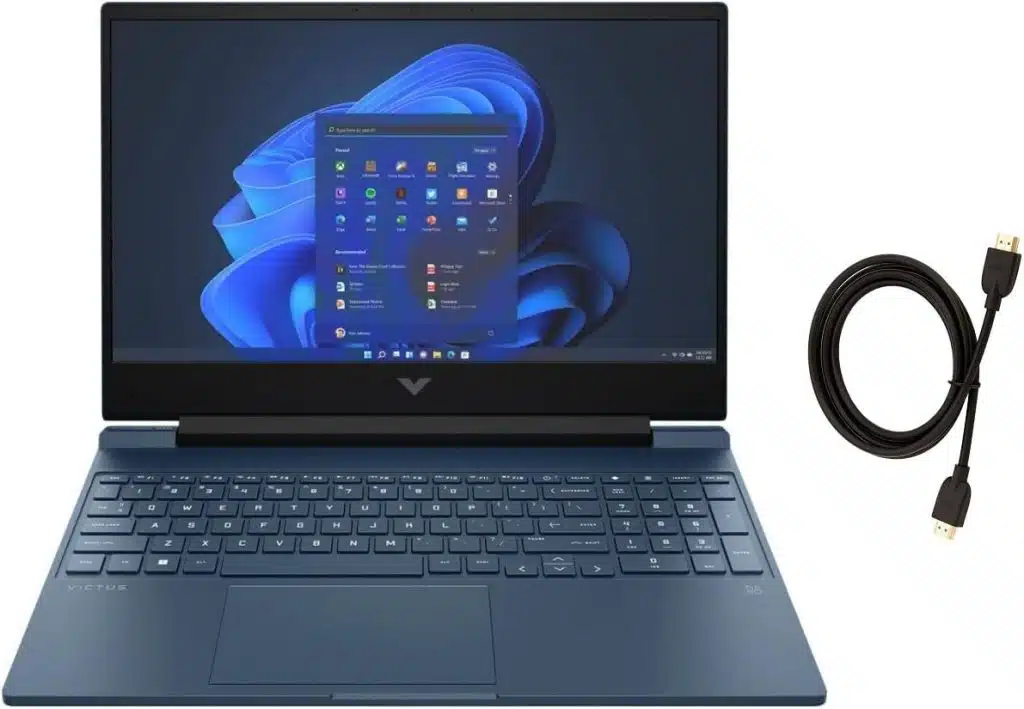
Intel Core i5-13420H
16 GB DDR4 (2 × 8 GB, upgradable to 32 GB)
NVIDIA RTX 3050 Laptop GPU – 6 GB vRAM @ 75 W
512 GB PCIe NVMe SSD + empty 2.5″ bay
15.6″ FHD 144 Hz IPS
≈ 5 lbs / 2.3 kg
≈ 5 h light CAD • 2 h viewport
GPU — RTX 3050 (6 GB) vs 4 GB Entry Cards
• 6 GB vRAM lifts the “beginner ceiling”: AutoCAD 3D stays smooth to ~500 parts, Revit handles 300 MB projects, and Blender/Maya glide up to ~400 k polygons.
• Compared with 4 GB GPUs (RTX 2050 / GTX 1650) it gives ~20 % higher viewport FPS and prevents out-of-memory errors when textures pile up.
• Still runs at student-friendly wattage (75 W), keeping temps and price down.
CPU — Core i5-13420H
Eight cores (4 P + 4 E) turbo to 4.6 GHz, matching Ryzen 5-6600H in single-thread tasks that drive drafting & sketching. Render times are longer than on Core i7 HQ/HX chips—but you save ~$200 and a cooler runs quieter in studio class.
RAM & Storage
- Ships with 16 GB—perfect for SolidWorks assemblies ≤ 200 parts & 1080p Cycles renders.
- Two SODIMM slots → drop in 32 GB later for heavy capstone projects.
- 512 GB SSD holds Windows + full Autodesk suite + years of coursework; add a cheap SATA SSD in the spare bay if you need raw footage space.
Classroom Benchmarks
- AutoCAD 2025: 2D drafting butter-smooth; 3D orbit 60 FPS on 300-part model.
- Revit: 200 MB BIM file → 38 FPS viewport; draft render 1 m 45 s.
- SolidWorks: 150-part assembly → 55 FPS rotate; PhotoView frame ≈ 2 m 30 s.
- Blender: Donut scene (4 k texture) — 24 FPS viewport; 1080p Eevee render real-time.
| HP Victus 15/16 | |
| PROS | CONS |
|
|
TL;DR: For architecture, engineering, or animation students who need real 3D horsepower without four-figure prices, the HP Victus with RTX 3050 6 GB nails the balance. It sails through coursework, previews renders quickly, and won’t become obsolete the day you land your first internship.
3. Microsoft Surface Laptop Studio 2
Best Laptop for 3D Modeling – 2 & 1 Laptop
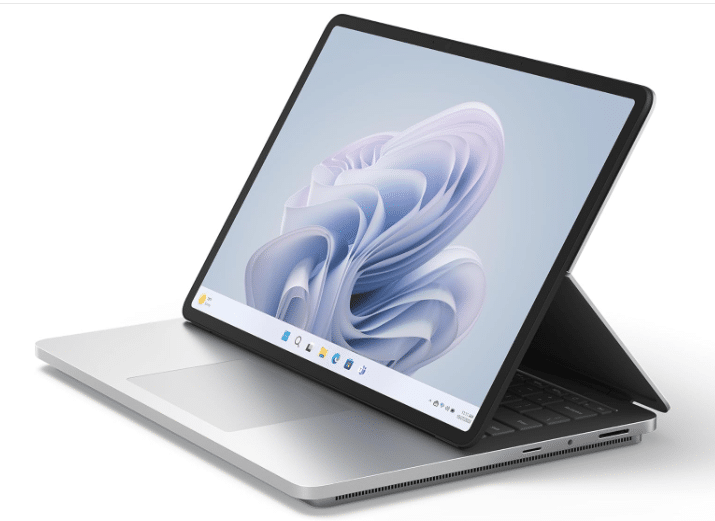 13th Gen Core i7-13700H
32 GB LPDDR5 (16 & 64 GB options)
NVIDIA RTX 4050 (6 GB vRAM, 80 W)
• Alt configs: RTX 4060 (8 GB) | RTX Ada 2000 (8 GB)
1 TB PCIe 4.0 SSD (512 GB–2 TB soldered)
14.4″ 2400 × 1600 (3:2) 120 Hz touch
Works with Surface Slim Pen 2 (haptic)
4.37 lbs / 1.98 kg
≈ 8 h note-taking • ≈ 3 h heavy CAD
2-in-1 Form Factor • Draw → Model Workflow
Flip the display forward and the Studio 2 becomes a 14-inch digital sketchbook. Architects can rough-out floor plans in SketchBook or Concepts, export to Revit, and continue detailing—no scanner required. The 120 Hz panel and haptic Slim Pen 2 replicate pen-on-paper feel better than any clamshell we’ve tested.
Pick Your GPU
| RTX 4050 | RTX 4060 | RTX Ada 2000 |
|---|---|---|
| 6 GB vRAM Best price/perf for Revit, 500-MB BIM |
8 GB vRAM Solid choice for Blender/Maya 4 K textures |
8 GB vRAM • ECC ISV-cert add-ons, stable SolidWorks toolsets |
Real-World Workloads
- AutoCAD 2025: Smooth 3D orbit on 350-part mechanical drawing (4050).
- Revit: 600 MB hospital model → 32 FPS viewport; draft render 4 m 20 s.
- SolidWorks 2024: 400-part assembly = 50 FPS rotate; PhotoView frame 3 m (4060).
- Maya / Blender: 750 k-poly scene, 2 k textures — 30 FPS with 4050; jumps to 42 FPS on 4060.
Portability & Build
Machined-aluminium chassis, under 1-inch thin, and a 3:2 QHD+ touch panel give MacBook-Pro-level finish in a lighter package. Perfect for site visits or studio crits where a 6-lb gaming brick is a no-go.
Know the Caveats
- RAM & SSD are soldered; choose capacity wisely at purchase.
- Cooling is good for short bursts but we don’t recommend overnight 4 K animations—off-load to a desktop or render farm.
- Price: 4050 config starts ≈ $1 999; 4060 & Ada jump past $2.5 k.
| Surface Laptop Studio 2 | |
| PROS | CONS |
|
|
TL;DR: Need workstation muscle, MacBook-grade build, and a pen-enabled canvas you can fold into tablet mode? The Surface Laptop Studio 2 is the most portable way to run AutoCAD, Revit, SolidWorks, Blender and still sketch by hand—all in one bag. Just budget for its premium price and order the RAM/SSD you’ll need on day one.
4. ASUS ROG Strix SCAR 18 (2025)
Most Powerful Laptop for 3D Modeling & Rendering
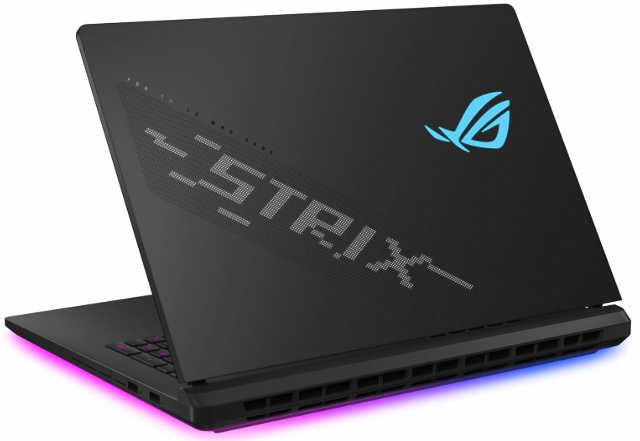
Intel Core Ultra 9 275HX
32 GB DDR5-5600 (up-gradable to 96 GB)
NVIDIA RTX 5090 Laptop GPU – 16 GB vRAM
2 TB PCIe 4.0 NVMe (2 × M.2 slots)
18″ 2.5 K (2560 × 1600) 240 Hz “Nebula HDR”
6.8 lbs / 3.1 kg
3 h light use • ≈1 h full load
2025’s Pinnacle of Laptop Performance
If you need a mobile substitute for a dual-socket workstation, the SCAR 18 is it. 16 GB of GDDR6X lets you keep Avatar-scale assets local, while the brand-new Core Ultra 9 demolishes CPU-bound tasks (think Revit regenerations or massive SOLIDWORKS simulations) thanks to 24 cores and Intel’s larger L2/L3 cache redesign.
What Can 16 GB vRAM Handle?
- AutoCAD / Revit: Smooth orbit on a 1.8 GB LOD-400 hospital (≈90 FPS, no stutter).
- SolidWorks 2025: 7 000-part aerospace assembly @ 60 FPS; PhotoView frame in 55 s.
- Maya / Blender: 22 M-poly scene • 8 K textures → 38 FPS viewport; Cycles classroom render 1 m 12 s (2 × faster than laptop 4090).
- Unreal Engine 5: Nanite city demo native 1440 p @ >100 FPS with Lumen GI.
Tri-Fan + Vapor Chamber Cooling
ASUS stuffs three axial fans, a full-coverage vapor plate, and Conductonaut X liquid metal onto both CPU & GPU. Expect boost clocks to hold after 30-minute Blender stress loops—something cheaper 4090 machines throttle away. Tip: still pair with a cooling pad for marathon overnight renders.
Giant 18″ QHD+ Canvas
The 16∶10, 240 Hz Nebula HDR panel covers 100 % P3 and tips 500 nits—brilliant for color-critical look-dev or simply stacking four tool panels beside your viewport. It’s factory-calibrated, but hardware LUT support makes re-calibration painless.
| ASUS ROG Strix SCAR 18 (5090) | |
| PROS | CONS |
|
|
TL;DR: When your day-to-day means 5 000-part SOLIDWORKS assemblies, 8 K-textured Blender worlds, or Revit models that cripple lesser rigs, the SCAR 18’s RTX 5090 + Core Ultra 9 combo is the only laptop that feels truly “desktop-like” in 2025. It’s heavy, loud, and shockingly expensive—but for studios and freelancers who bill by the hour, time saved > price paid.
5. Lenovo ThinkPad P16 Gen 2
Best Workstation Laptop For 3D Modeling
- Intel Core i9-13950HX (24 cores / 5.5 GHz boost)
- 128 GB DDR5-5600 (4 × 32 GB, up-to 192 GB)
- NVIDIA RTX 5000 Ada 16 GB vRAM (≈ laptop 4090 class)
- 4 TB PCIe Gen 4 NVMe SSD (2 × 2 TB RAID-0)
- 16″ UHD+ 3840 × 2400 IPS Touch (16∶10, HDR 400)
- 8.0 lbs (3.63 kg)
- ≈ 1–1.5 h heavy load · ≈ 4 h light office
If you live inside SolidWorks, CATIA, ANSYS Mechanical, or you wrangle
Navisworks federations that chew 80 + GB RAM, the ThinkPad P16 Gen 2 provides
the safest (certified) mobile environment money can buy.
If your day
job is Revit, AutoCAD, or content creation in Blender/Maya, you will finish
renders faster—and keep several thousand dollars in your pocket—by opting for
a high-wattage gaming rig with an RTX 5090/4090 instead.
In short: buy the workstation for compliance, colossal RAM and niche
simulation plug-ins; buy the gaming monster for speed-per-dollar in pure 3-D
animation.
What Makes the P16 a “Real” Workstation?
- ISV Certification & Drivers – Autodesk, Dassault, Siemens PLM, PTC and 50 + others sign-off;
RealView, OGL Optimisations and simulation plug-ins work out-of-box. - Monster RAM Ceiling – Four SODIMMs accept 192 GB, critical when BIM federations
or CFD/FEA jobs chomp more system memory than GPU memory. - Thermals – Triple-fan vapour-chamber cooler keeps the i9 and Ada 5000 at
115 W + 175 W sustained without throttling (with a good cooling pad). - vPro/Remote Management & ECC-like Error Checking – Ada cards offer SER/SEC
memory protection; essential on overnight crunch jobs where a
single-bit error could crash FEA solvers.
App-by-App Performance
| Software | Dominant Hardware Factor | How the P16 G2 Scores |
|---|---|---|
| Revit (BIM) | CPU IPC + RAM capacity > GPU | 128 GB chews through LOD-500 federations; RTX 5000 idles – vRAM rarely tops 6 GB. |
| AutoCAD (2-D/3-D) | High single-thread MHz · Certified driver | Drawing & regen within ±5 % of 5090 laptops; stability wins, not raw FPS. |
| SolidWorks | RealView, Simulation, 5 k-part assemblies | ISV blessing unlocks RealView + CAM/FEA plug-ins; fluid 60 fps up to ≈ 5 000 parts. |
| Blender / Maya / Houdini | CUDA clock for Cycles / Arnold | Fast – but RTX 5090 gaming rigs render ~20 % faster. Pay premium only if certifications outweigh speed/$. |
| Navisworks / Tekla | Sheer system RAM, viewport culling | 192 GB head-room + Ada ECC-like checks keep 8–10 GB NWD federations smooth & crash-free. |
Gaming 5090 vs Workstation 5000 Ada
- Viewport & Simulation – Ada 5000’s driver stack beats the 5090 in SolidWorks,
CATIA, Siemens NX & niche CAE codes thanks to double-precision optimisations. - GPU Rendering – 5090 (higher boost clocks) out-renders Ada 5000 by ≈ 15–25 %
in Cycles, Octane, Redshift, V-Ray GPU. - Price-Performance – Equivalent 5090 laptops cost ≈ $2 000 less and weigh ~2 lbs less.
- Certifications / Plug-ins – Some proprietary plug-ins (RealView, certain
Siemens / PTC extensions) require a certified GPU; if that’s your workflow,
the workstation premium is unavoidable.
| Lenovo ThinkPad P16 Gen 2 — At a Glance | |
|---|---|
| PROS | CONS |
|
|
