
Best Budget Laptops For College Students 2026 (September)
I’ve graduated from college—and I’ve been in your shoes. I spent way too much time overthinking one question: What laptop should I buy?
Here’s what I wish someone had told me:
Stop focusing on power, specs, or buying the flashiest laptop.
What matters most is usability: something light, reliable, and easy to carry everywhere. And yes, always back up your work.
In 2026, high-end CPUs, dedicated GPUs, and huge amounts of RAM are unnecessary for most students. Research, writing, note-taking, browsing, and everyday apps barely push a modern laptop.
🤔 So What Makes a “Good” College Laptop?
- Portability: Light enough that you won’t think twice about bringing it to class.
- Battery Life: Enough to get through classes without hunting for an outlet.
- Display: A sharp screen makes reading, writing, and multitasking much easier.
That’s it. You don’t need anything fancy—just a reliable laptop you’ll actually enjoy using every day.
Best Budget Laptops For College (Liberal Arts & Physical Sciences)
These laptops are useful for: Business, Health Professions, Social Sciences, Physical Sciences (Physics, Chemistry, Biology), History, Psychology, Education, Communication, Journalism, and Visual Arts (graphic design without video editing or 3D modeling).If you’re set on a laptop with a dedicated GPU, here are some solid options:
| Laptop | Why It’s Great | Price |
|---|---|---|
| MacBook Air 13” (2017–2025) 13.6″ Retina | 2.7 lbs | 17 hr |
Longest battery & #1 portable. Price depends on year. | $300–1099 CHECK PRICE › |
| Acer Aspire 3 A315 15″ FHD IPS | 3.5 lbs | 7 hr |
FHD display & recent Ryzen CPU. Great budget option. | $347 CHECK PRICE › |
| Acer Aspire 5 A515 15″ FHD IPS | 3.6 lbs | 8 hr |
Cheap FHD option with a recent Intel CPU. | $360 SEE DEAL › |
| ASUS 2026 15” 15.6″ Anti-Glare | 3 lbs | 10 hr |
Best with Linux. Good for programming & data science. | $200 CHECK PRICE › |
| 11″ MacBook Air (Refurb) 11.6″ HD | 2.2 lbs | 13 hr |
Most portable of them all. Great for basic college work. | $150–200 CHECK PRICE › |
Now, if you’re an engineering student (like I was), you can still go for one of the budget laptops listed above. In fact, I’d recommend it—because you’ll need a laptop you can carry everywhere, especially when it’s time to prep for exams or take notes in class.
Those heavy CAD programs you’re thinking about? You probably won’t use them regularly until your third year, and even then, it’ll be for a handful of assignments or your senior project (maybe).
That said, if you know you’ll need powerful hardware—whether for gaming or 3D-intensive software—I’ve got dedicated posts for engineering and architecture majors you can check out.
If you’re set on a laptop with a dedicated GPU, here are some solid options:
If you’re set on a laptop with a dedicated GPU, here are some solid options:
| Laptop | Best For | Price |
|---|---|---|
| ASUS ZenBook MX 350 | R5 7535HS |
Cheapest portable option with a dGPU for light 3D work. | $450 CHECK PRICE › |
| Acer Aspire 5 RTX 2050 | Core i5-1240P |
Much faster graphics than the ZenBook. Good for 3D work on a budget. | $580 CHECK PRICE › |
| HP Victus RTX 2050 | Core i5-12450H |
Better for heavier 3D CAD work thanks to the H-series CPU. | $769 CHECK PRICE › |
| MSI Thin 15 RTX 2050 | Core i7 |
Fastest option here for gaming, CAD and heavier CPU workloads. | $771 CHECK PRICE › |
***The following list includes a review of most of the laptops in the table and a few additions that are more expensive for those with no budget limits ***
Best Budget Laptops For College Students Under 500
Are the Laptops Above Too Expensive? Let’s Talk Budget.
Is your budget tight? Maybe tuition and textbooks drained your wallet. Maybe you left your full-time job to focus on college. Or maybe you just want to spend your money on something else instead of dropping a fortune on a laptop. All valid reasons.
But…
You’re probably worried that a lower budget means you won’t get a good enough laptop for college, right?
Good News
Most students don’t actually need high-end specs. A lightweight laptop with decent speed and solid battery life is more than enough to get through college. And for the rare moments when you need serious performance? There’s always the campus computer lab.
1. M5 MacBook Air
The Best Laptop for College Students
10-Core CPU
Unified Memory
Apple Graphics
SSD Storage
Ultra-Light
2560 x 1664

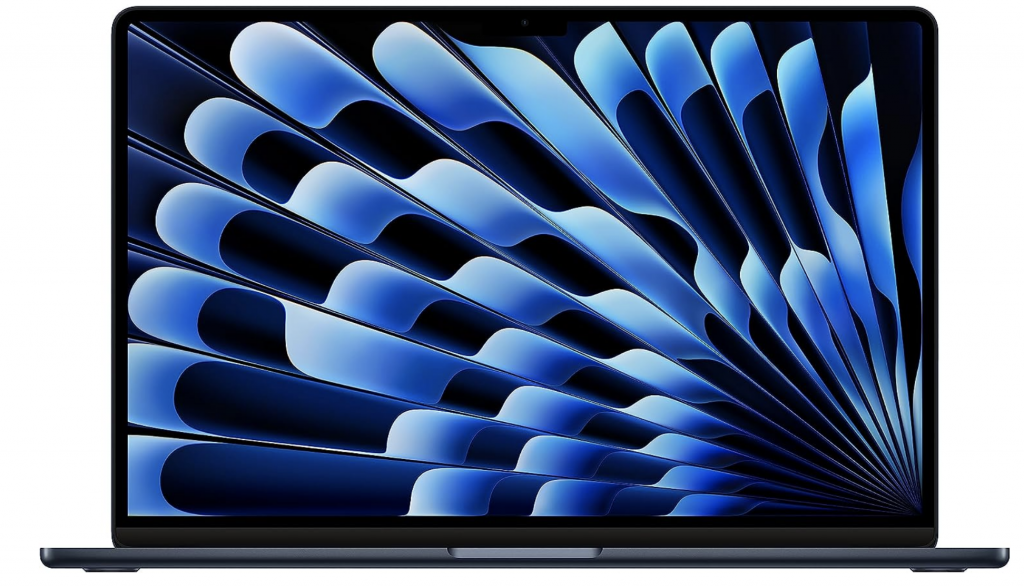
The M5 MacBook Air is the newest version, so naturally you’re paying more for it. For college work, though, you absolutely do not need the latest chip. An older M3 or M4 MacBook Air will feel almost identical when taking notes, browsing, programming, writing papers or using Office.
Best value: Grab an older or refurbished MacBook Air. You’ll mainly give up a little performance and battery life, while keeping basically the same display, portability and everyday experience. Older models can sometimes cost around half as much as the newest configuration.
If money isn’t an issue: sure, grab the M5 and keep it for years. Otherwise, an older MacBook Air is probably the smarter buy.
For most college students, this is the MacBook I’d pick. The M5 Air is fast enough for school work, weighs almost nothing, and you can realistically carry it around campus every day without thinking about it.
Hardware
The base 13-inch model now gives you an M5 with a 10-core CPU, 16GB of unified memory and a 512GB SSD. For notes, research, Office, programming, Zoom and having a ridiculous number of browser tabs open, that’s already plenty.
The fanless design is another reason I like the Air for normal college use. It’s completely silent and there’s no reason to carry the heavier MacBook Pro unless your major actually needs the extra performance.
Portability
At 2.7 lbs, this is the kind of laptop you can throw into a backpack with books and barely notice. Battery life is also one of its strongest points: Apple rates the M5 Air for up to 15 hours of wireless web use and 18 hours of video playback.
The 13.6-inch 2560 x 1664 display is sharp enough for reading, writing papers and working with several windows without making the laptop physically large.
Who Should Buy It?
Business, liberal arts, nursing, biology, computer science and most general college majors will be fine with this configuration. The main thing to check is software compatibility. If your program specifically requires Windows-only engineering or CAD software, don’t buy a Mac just because you like the hardware.
The other limitation is upgradeability. RAM and storage are fixed when you buy it, so I’d stick with at least 16GB memory. Luckily, that’s already standard on this model.
For regular college use, I wouldn’t spend extra on the Pro. The Air is lighter, silent and already much faster than what most students actually need.
2. ASUS VivoBook Go 15
Best Budget Laptop For College Students
AMD Processor
LPDDR5 RAM
Integrated Graphics
NVMe SSD
Slim Laptop
1920 x 1080
AMD Processor
LPDDR5 RAM
Integrated
NVMe SSD
Slim Laptop
1920 x 1080
If the MacBook Air is more than you want to spend, this is the kind of Windows laptop I’d look at instead. The VivoBook Go 15 isn’t fancy, but for normal college work it gets the important stuff right.
Hardware
The Ryzen 5 7520U is fine for Office, browsing, Zoom, basic programming and general school software. You also get a 512GB SSD, which is a lot more practical than the tiny 128GB or 256GB drives still found on some budget laptops.
The main limitation is the 8GB RAM. It’s enough for ordinary college use, but if your normal routine is 30 browser tabs, Teams, Excel and several other programs at the same time, 16GB would obviously be better.
The Radeon integrated graphics are also basic. That’s completely fine for school, Netflix and everyday work. It’s just not the laptop I’d buy for serious gaming, 3D rendering or GPU-heavy engineering software.
Display & Portability
The 15.6-inch FHD screen gives you more physical workspace than the 13-inch MacBook Air, which can be nice if you spend a lot of time in Word, Excel or split-screen browser windows.
At around 3.59 lbs, it’s still light enough to carry to class. It’s not MacBook Air light, but it’s nowhere near gaming-laptop territory either.
Who Should Buy It?
I’d look at this for business, humanities, nursing, education and basically any major where the laptop is mostly being used for documents, research, presentations and web-based software.
Compared with the MacBook Air, the ASUS is cheaper and gives you normal Windows compatibility. The MacBook is faster, lighter and has much better battery life, but you don’t need those advantages just to write papers and sit through online lectures.
3. M5 Pro MacBook Pro
Best MacBook For College Students
15-Core CPU
Unified Memory
Apple M5 Pro
SSD Storage
14-inch Model
3024 x 1964
15-Core CPU
Unified Memory
Apple M5 Pro
SSD Storage
14-inch Model
3024 x 1964
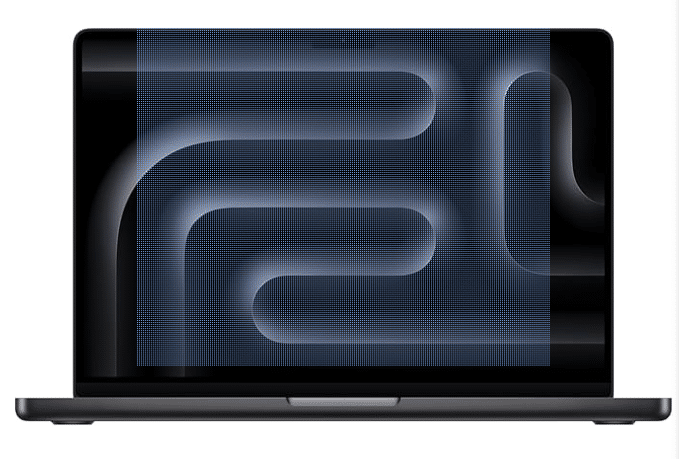
The MacBook Pro only makes sense over the Air if you actually need the extra hardware. If college for you is mostly notes, papers and browsing, save the money and get the Air.
Hardware
This configuration has the M5 Pro with a 15-core CPU, 16-core GPU, 24GB unified memory and a 1TB SSD.
That’s overkill for ordinary schoolwork, but useful if your classes involve compiling large projects, data analysis, simulations, video editing or other work that can keep the processor busy for long periods.
Unlike the fanless Air, the Pro has active cooling. That’s one of the actual reasons to buy it: sustained heavy workloads can keep running without relying only on passive cooling.
MacBook Pro vs. MacBook Air
The 14.2-inch Liquid Retina XDR display is another upgrade. It runs up to 120Hz and gives you more brightness and better HDR performance than the Air. Nice to have, especially for creative work, but again, not something you need for writing essays.
The weight difference isn’t huge either. At around 3.5 lbs, the 14-inch Pro is still reasonable to carry around campus, but the 2.7 lb Air is noticeably nicer if you’re carrying it all day.
Who Should Buy It?
I’d mainly look at the M5 Pro for computer science, data-heavy work and creative majors where you know you’ll use the extra performance. Some STEM students can also make good use of it, but check your required software first.
A faster MacBook doesn’t solve macOS compatibility. If your engineering program revolves around Windows-only CAD or simulation software, a Windows laptop may still be the better choice regardless of how fast the M5 Pro is.
So: Air for most students, Pro if you already know why you need the Pro.
4. Surface Pro 13 (2026)
Best 2 in 1 Laptop For College
10-Core CPU
LPDDR5x RAM
Integrated Graphics
SSD Storage
Without Keyboard
Touch + Pen Display
10-Core CPU
LPDDR5x RAM
Integrated
SSD Storage
Without Keyboard
Touch + Pen
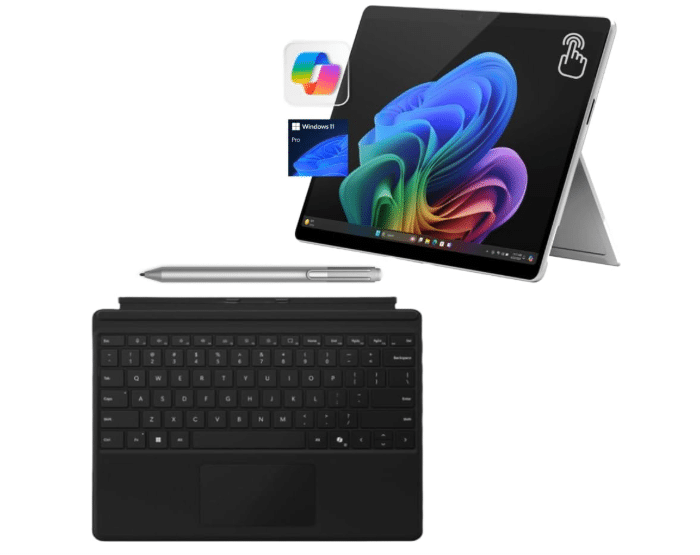
The Surface Pro makes the most sense for students who genuinely want to use one device as both a laptop and a notebook. If you never plan to write on the screen, there are cheaper normal laptops.
2-in-1 Design
This is where the Surface Pro is different. You can sit in class and type normally, then use the pen to write equations, draw diagrams or annotate a PDF directly on the screen.
For majors where you spend a lot of time marking up lecture slides or handwritten notes, that can genuinely replace a stack of notebooks. Just remember that the keyboard and pen may be separate purchases depending on the bundle.
Performance
The 2026 model moves to the 10-core Snapdragon X2 Plus with 16GB RAM. For Office, browsing, note-taking, PDFs and normal productivity, it’s plenty fast.
ARM compatibility is much better than it was on the first Snapdragon Surface models, but I would still check any niche software your major requires. Common Windows apps are much less of a problem now; obscure plugins, older utilities and some specialist engineering software are where I’d be more careful.
College Use
At 1.97 lbs without the keyboard, it’s extremely easy to carry. Battery life is also good: Microsoft rates the X2 model for up to 15.5 hours of local video playback and 11.5 hours of active web use.
I’d mainly recommend it to students who value handwriting, portability and reading PDFs more than raw GPU performance. It’s not a gaming machine and it’s not what I’d buy for serious 3D CAD.
5. Surface Laptop Studio 2
Best Laptop or Tablet For College – 3D CAD Work
Intel H-Series
LPDDR5x RAM
6GB VRAM
SSD Storage
Laptop + Tablet
2400 x 1600 Touch
Intel H-Series
LPDDR5x RAM
6GB VRAM
SSD Storage
Laptop + Tablet
2400 x 1600 Touch
2026 Update: We’re keeping the Surface Laptop Studio 2 here. As of 2026, Microsoft still hasn’t released a Surface Laptop Studio 3 with a newer GPU, so there isn’t a direct RTX 50-series replacement for this laptop yet.
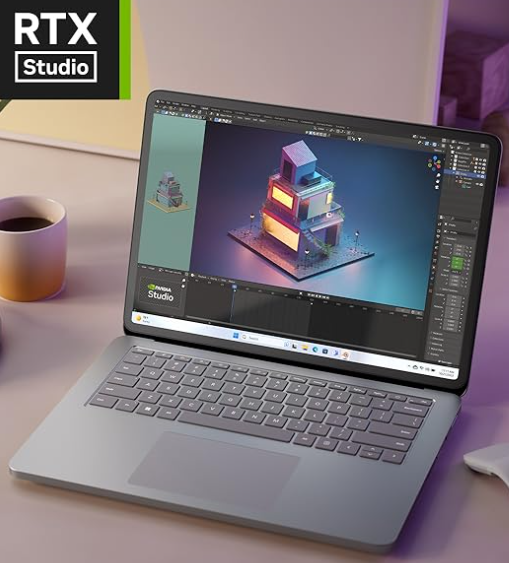
It’s getting old, but the combination is still unusual: a proper Windows laptop, an RTX GPU and a screen you can pull forward and write on.
Hardware
The Core i7-13700H, 32GB RAM and RTX 4050 with 6GB vRAM are still enough for student CAD, 3D modeling and engineering workloads.
For AutoCAD, Fusion 360, Revit and normal SolidWorks coursework, this has considerably more graphics headroom than a standard ultrabook. The 32GB RAM is also useful if you’re running CAD software alongside a browser, PDFs, MATLAB or other engineering tools.
Laptop + Tablet
The reason I’d buy this instead of a normal gaming laptop is the screen. You can use it like a regular laptop, pull the display forward for drawing or diagrams, or use it almost like a tablet for handwritten notes.
For engineering students, that means one device can handle CAD work and then turn into something you can write equations or annotate lecture PDFs on. That’s the whole point of this laptop.
Trade-offs
The obvious downsides are price and weight. At 4.37 lbs, it’s much heavier than the Surface Pro or MacBook Air. Once you start using the RTX 4050 heavily, battery life also drops quickly compared with normal note-taking use.
If all you want is digital notes, buy the Surface Pro. If all you need is CAD performance, a normal gaming laptop is cheaper. The Surface Laptop Studio 2 only really makes sense if you specifically want both in one machine.
6. HP Victus 15
Best Budget Laptop For College – 3D CAD Work
Intel H-Series CPU
RAM
4GB VRAM
SSD Storage
Gaming Laptop
144Hz Display
Intel H-Series
RAM
4GB VRAM
SSD Storage
Gaming Laptop
144Hz Display
The old IdeaPad with the MX450 is getting hard to recommend now, so for the same basic role I’d move to the HP Victus 15 with the RTX 2050. It’s still a budget dedicated-GPU laptop, just with more useful graphics hardware for CAD.
Hardware
The RTX 2050 has 4GB of dedicated vRAM, which is a much better starting point for student 3D work than the old MX450 with 2GB.
It isn’t a high-end CAD workstation GPU, but it can handle the kind of AutoCAD, Fusion 360, SketchUp and smaller SolidWorks projects you’re likely to run into in school.
The Core i5-12450H is also an H-series CPU, so CPU performance is good enough for this kind of coursework.
The main weak point is 8GB RAM. It’ll run the software, but if you’re regularly working in CAD while keeping a browser, PDFs and other programs open, 16GB is a much better target.
Display & Portability
The 15.6-inch FHD 144Hz screen is fine for coursework, but this is where you give something up compared with the old IdeaPad’s QHD display. You get more GPU power, but less resolution.
It’s also heavier. The Victus 15 chassis starts at roughly 5 lbs, so this isn’t something I’d buy if portability is your main concern.
Who Should Buy It?
This is for engineering, architecture or design students who actually need a dedicated GPU but don’t want to jump to a much more expensive RTX 4050 or RTX 5050 laptop.
For small and medium student projects, the RTX 2050 is enough to get started. If you know you’ll be doing heavier 3D assemblies, rendering or more demanding simulation work, I’d move up to the Surface Laptop Studio 2 above or a normal RTX 4050 gaming laptop instead.
[1]: https://support.apple.com/en-us/126320?utm_source=chatgpt.com “support.apple.com”
[2]: https://eshop.asus.com/us/90nb0zr2-m00fe0-asus-vivobook-go-15-e1504f.html?utm_source=chatgpt.com “Buy ASUS Vivobook Go 15 Laptop, 15.6” FHD Display, AMD …”
[3]: https://support.apple.com/en-us/126318?utm_source=chatgpt.com “support.apple.com”
[4]: https://www.microsoft.com/en-us/store/configure/surface-pro-13-inch-12th-edition/8mzbmmcjzpmr?utm_source=chatgpt.com “Buy Surface Pro, 13-in (12th Ed) 2-in-1 Laptop, Specs, Windows | Microsoft Store”
[5]: https://www.microsoft.com/es-es/d/surface-laptop-studio-2/8rqr54krf1dz?utm_source=chatgpt.com “Comprar Surface Laptop Studio 2”
[6]: https://support.hp.com/id-en/document/ish_6398109-6398208-16?utm_source=chatgpt.com “Victus by HP 15.6 inch Gaming Laptop 15-fa0000”
7. Lenovo IdeaPad 1
Best Cheap Laptop For College
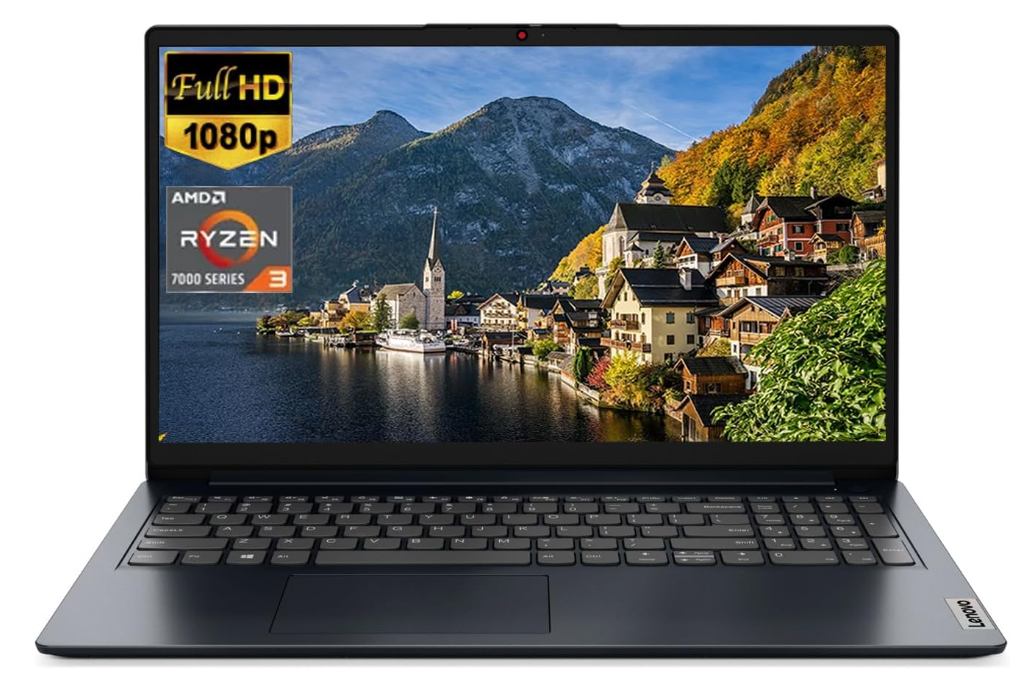
AMD Ryzen 3 7320U
8GB LPDDR5
AMD Radeon 610M
256GB SSD
15” full HD IPS
3.5lbs
7 hours
Wifi 6
A $300 Laptop That’s Actually Good?
If you’re broke but still need a decent laptop for college, the Lenovo Ideapad 1 is one of the best options at $300. Unlike most cheap laptops that come with Celeron or Pentium processors, this one actually has a Ryzen 3 chip, which means you won’t feel like you’re using a Chromebook from 2015.
Who’s This For?
- College students who just need the basics – Perfect for Google Docs, Zoom calls, essays, and research.
- Anyone who wants an affordable Full HD laptop – No 1366×768 pixelated nonsense here, it’s a Full HD IPS display.
- People who just want a laptop that works – No random lag, no ChromeOS limitations, just Windows.
Why It’s One of the Best Budget Laptops for College
- Ryzen 3 7320U > Intel Celeron/Pentium – Most laptops in this price range have low-end Intel CPUs that lag immediately. This one is actually usable.
- 8GB LPDDR5 RAM – Most cheap laptops still have 4GB, which is a nightmare for multitasking.
- 7 hours of battery life – Not insane, but decent enough for light school use.
- WiFi 6 – Better connectivity and speed for online classes, streaming, and downloads.
- Full HD IPS Display – No washed-out colors or weird angles, just a solid 1080p screen.
Where It Falls Short
- Not for heavy workloads – Forget video editing or gaming, this is for basic tasks only.
- Battery life is just okay – If you’re taking long back-to-back classes, bring a charger.
- No backlit keyboard – Might be annoying if you pull all-nighters in a dark dorm room.
Final Thoughts
For $300, the Lenovo Ideapad 1 is one of the few budget laptops that won’t make you suffer. It’s fast enough for everyday college tasks, has a decent display, and actually comes with 8GB RAM, which is rare at this price. If you just need a reliable laptop for school and don’t want to break the bank, this is easily one of the best deals out there.
8. Acer Aspire 5 A515
Best Cheap Laptop For College Students
Intel Core i3-1115G4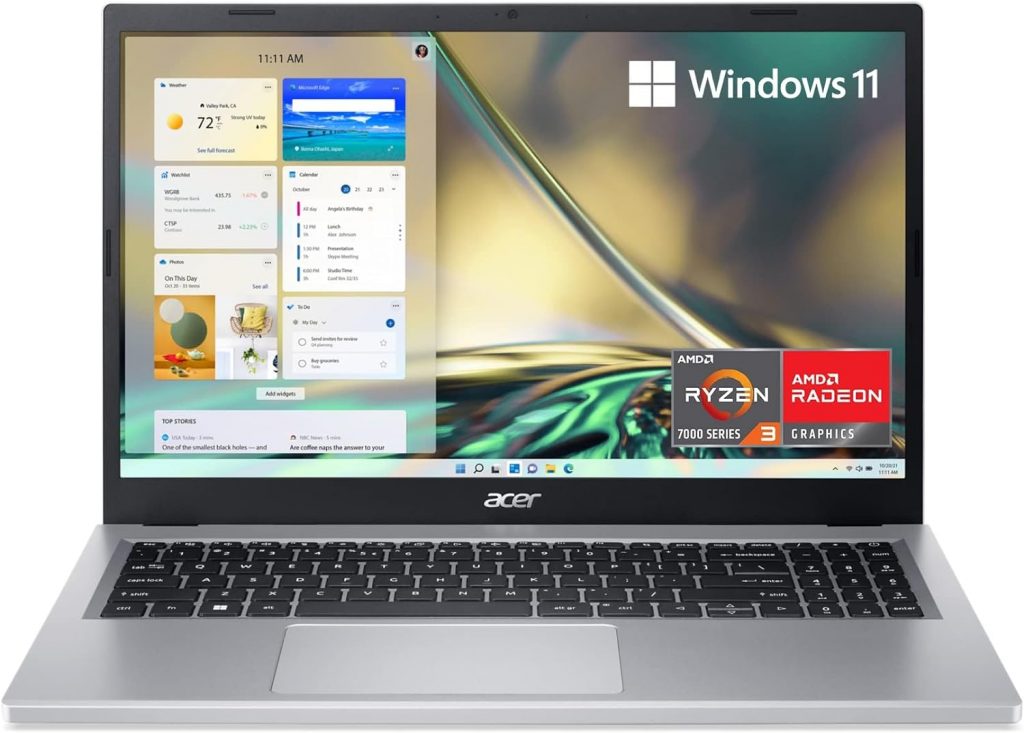
8GB RAM DDR4
Intel UHD Graphics
128GB PCIe NVMe SSD
15” IPS full HD
3.64 lbs
8 hours
The Acer Aspire 5 is one of the most popular budget laptops, and for good reason—it’s affordable, lightweight, and does everything a college student needs. If all you need is a laptop for writing essays, browsing, watching lectures, and streaming Netflix, this is a solid choice that won’t break the bank.
How It Compares to Other Budget Laptops
- vs. Lenovo Ideapad 1 ($300)
- Performance: The Aspire 5 is slightly slower than the Ryzen 3-powered Ideapad 1. The AMD 7320U processor in the Ideapad 1 is newer and more efficient, especially for multitasking.
- Storage: The Ideapad 1 has double the storage (256GB SSD vs. 128GB SSD), which makes a big difference if you don’t want to rely on external drives.
- Battery Life: The Acer Aspire 5 lasts an hour longer, which can be useful if you’re always on the go.
- vs. ASUS ZenBook 14 Pro ($550)
- Performance: The ZenBook 14 Pro has a much more powerful CPU (Intel Ultra 5 125H) and better Iris Xe graphics for casual creative work.
- Build Quality: The ZenBook has a premium build, whereas the Aspire 5 is mostly plastic.
- Display: The ZenBook’s 2.8K OLED touchscreen makes it a much better choice for media consumption and light creative work.
Who Should Buy This?
If you need the cheapest laptop possible while still getting decent performance for college, the Acer Aspire 5 is a great choice. But if you can afford $50-$100 more, the Lenovo Ideapad 1 is a much better deal for the price. If you want a more premium experience and can stretch your budget further, the ASUS ZenBook 14 Pro is the way to go.
9. ASUS Chromebook C202SA
Best ChromeBook For College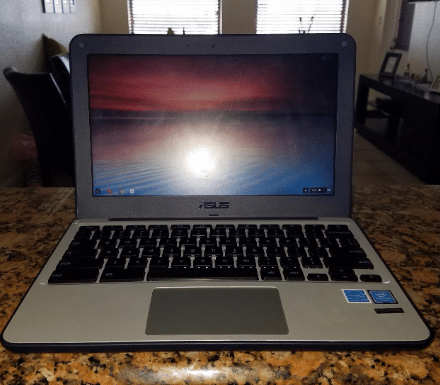
Intel Celeron N3060 1.6-2.48 GHz
4GB RAM DDR3L
Intel HD
32 GB eMMC
11.6 inch HD Anti Glare
2.2lbs
10 hours
Chrome OS
Look, if you’re a college student on a super tight budget and just need a laptop that won’t die on you mid-semester, the ASUS Chromebook C403 is worth considering. It’s cheap, it’s simple, and most importantly—it’s rugged as hell.
This thing is built for abuse. I’m talking spilled coffee, getting tossed into an overstuffed backpack, or even getting dropped off your dorm bed at 2 AM. Most laptops in this price range feel like they’ll break if you look at them wrong, but this one is MIL-STD 810G rated, meaning it’s actually tested to survive rough handling.
If you’re the type who just needs something to take notes, browse the web, and fire up Zoom for lectures, this Chromebook is a no-brainer.
Chrome OS: Simple, Secure, and Lightweight
If you’ve never used Chrome OS, here’s the deal: it’s fast, easy, and great for web-based work like Google Docs, Drive, and email. It boots up in seconds, never slows down from Windows bloatware, and you don’t have to worry about viruses.
And if you actually need more functionality, you can install Linux on it. Yeah, it takes a bit of setup, but once you do, you can run real Linux apps, giving you way more software options than just Chrome extensions. This basically turns a cheap Chromebook into a lightweight Linux laptop—super useful if you’re into coding or just want more flexibility.
How It Stacks Up Against Other Budget Laptops
- vs. Lenovo Ideapad 1 ($300) & Acer Aspire 5 ($280-$350)
- Way more durable—this Chromebook is designed to be tossed around, while those are standard budget Windows laptops.
- Way less storage—only 32GB, but that’s fine if you use cloud storage (Google Drive).
- Chrome OS vs. Windows—Windows gives you more software options, but Chrome OS is faster and hassle-free.
- vs. Other Cheap Chromebooks
- Bigger screen (14”)—better than the usual tiny 11.6” displays you find in cheap Chromebooks.
- More durable—cheaper Chromebooks feel flimsy, but this one can take some serious hits.
Who Should Get This?
- If you just need a simple, reliable laptop for schoolwork, this is perfect.
- If you want a laptop that won’t break after one bad drop, this is a great choice.
- If you’re comfortable with Chrome OS (or willing to install Linux), this will do the job.
- If you need to run Windows software, go for the Lenovo Ideapad 1 or Acer Aspire 5 instead.
At $185, this thing is rugged, simple, and actually practical for college. If you’re okay with living in Google Drive or running Linux, this might be one of the best cheap laptops you can get.
10. 11 inch MacBook Air
Cheapest Mac For College – Under 200
Intel Core i5 1.4- 2.7GHz
4GB RAM LPDDR3
Intel HD
128 GB SSD
11.6 inch HD Glossy
2.2lbs
13 hours+
OSX Catalina (upgradeable to Sonoma)
x2 USB 3.0 ports / Mag Safe Power Port / Apple thunderbolt port / Headphone jack
Let’s be real: $150 for a MacBook sounds almost too good to be true, but the MacBook Air 11” is one of the best deals out there for students on a serious budget. It may not be the latest and greatest, but it still holds up surprisingly well for everyday college use.
Despite being an older model, this thing still runs fast—thanks to its SSD, macOS optimization, and lightweight design. Even Windows can run on it via Boot Camp since it still has an Intel chip (unlike newer MacBooks that only support ARM-based Windows).
Why It’s Great for College
- Crazy Portable – At just 2.2 lbs, this is one of the lightest laptops ever made. If you’re tired of carrying a brick around campus, this is a game-changer.
- Still Fast Enough for Basic Tasks – If all you need is a laptop for taking notes, writing essays, checking emails, and watching lectures, this little thing flies. macOS is optimized enough that even with 4GB RAM, it’s still smooth for general use.
- It Runs Windows – Unlike newer MacBooks with Apple Silicon chips, this one can natively run Windows through Boot Camp, giving you full access to Windows-only software.
- Super Cheap for a MacBook – You won’t find another premium-feeling laptop in this price range. Period.
The Downsides
- Battery Life is a Gamble – When this laptop was new, it lasted over 13 hours. But since most of these are refurbished, battery life varies. Some sellers replace the battery, but if not, you might only get 4-6 hours, which can be a deal-breaker if you’re away from an outlet all day.
- Limited Storage & RAM – The 128GB SSD is fine for basic use, but if you need a ton of storage, you’ll need an external drive. 4GB RAM is also non-upgradeable, so don’t expect to multitask heavily.
- No Retina Display – The screen is good, not great—it’s fine for everyday use, but if you’re used to high-resolution displays, you’ll notice the difference.
Who Should Buy This?
This is THE laptop for students on a serious budget who still want something lightweight, portable, and fast enough for college work. If you mostly take notes, browse the web, and stream lectures, it’s a steal for $150-$250.
However, if you need all-day battery life or plan to multitask heavily, you might want to consider a newer budget option like the Lenovo Ideapad 1 or Acer Aspire 5.
How To Buy The Best Laptop For College Students
If none of the recommendations above caught your eye, don’t worry—I’ll walk you through how to find the best laptop for college yourself. No matter your major, there are a few general features that will benefit every student.
Keep the following factors in mind when browsing for a laptop.
A) Portability: The Most Important Feature for Any Student
 Let’s be real—if you’re buying a laptop, it’s because you actually plan on using it, right? The last thing you want is to end up with a bulky mess that you’ll dread carrying around. You’re already hauling textbooks, notebooks, and whatever else you need for class, so why make things harder on yourself?
I can’t tell you how many times having my laptop on me at all times saved me from a near-disaster in class. Whether it was last-minute research, taking notes when I forgot my notebook, or fixing an assignment on the fly, it made a huge difference. If your laptop is too heavy, you’ll start leaving it behind—and at that point, what’s the point of having one?
But What If You Need a Powerful Laptop?
Not every student has the luxury of choosing a lightweight laptop. If you’re in a major that requires 3D modeling, CAD, or video editing, you’ll likely need something powerful—and unfortunately, that usually means extra weight.
However, before you commit to carrying around a 6lb+ brick, check if your school has computer labs with the software you need. Many universities have high-end desktops available for students, and TAs or professors can help you troubleshoot issues. If you only need that power occasionally, save yourself the back pain and stick with a lighter, more portable laptop.
What’s the Ideal Weight?
- Under 4lbs is ideal—around 3lbs is the sweet spot.
- Anything above 5lbs becomes a chore to carry every day.
- If you need power, consider a lighter laptop + external GPU setup or use lab computers when necessary.
A laptop that’s too heavy will end up sitting on your desk instead of being by your side. Keep it light and portable—your back will thank you.
B) Battery Life: Save a lot time
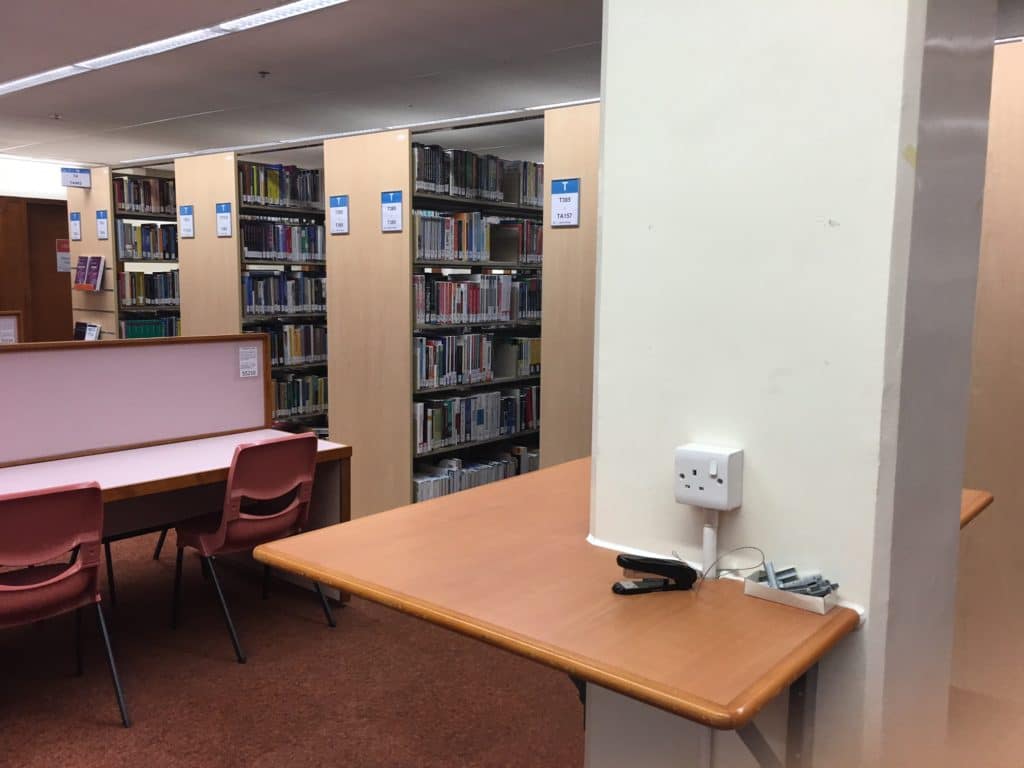
When I was in college, my schedule (like most of my friends) ran from 9 AM to 5 PM—roughly 8 hours on campus with plenty of breaks in between. If you have a similar schedule, your laptop needs to last you the entire day, unless you plan on heading straight home after one or two classes.
Why Battery Life Matters More Than You Think
Nobody enjoys wasting time searching for outlets around campus. Time is precious in college, especially in the days leading up to exams. If you think you’ll always find an open plug in class, think again—every student with a laptop is going to be looking for one.
Are you willing to show up 20 minutes early just to secure a seat near an outlet? Because trust me, plenty of students will be doing exactly that.
Midterms and Finals? Good Luck Finding an Outlet
During midterms and finals, libraries and study spaces turn into absolute zoos. Every outlet will be occupied, power cables will be stretched across the floors, and you’ll find yourself tripping over someone else’s charger while desperately trying to find a free plug.
Make Sure Your Laptop Turns On When You Need It
Beyond exams and study sessions, there are moments when you absolutely need your laptop to work. Recording review lectures, pulling up last-minute notes, or even finishing a project right before class—none of these are possible if your battery dies halfway through the day.
Learn from my mistake—I once missed an important final review session because I didn’t bring my laptop that day. My battery life wasn’t even the issue—I just assumed I wouldn’t need it. Spoiler: I absolutely did.
C) Display: Must be Comfortable & Spacious
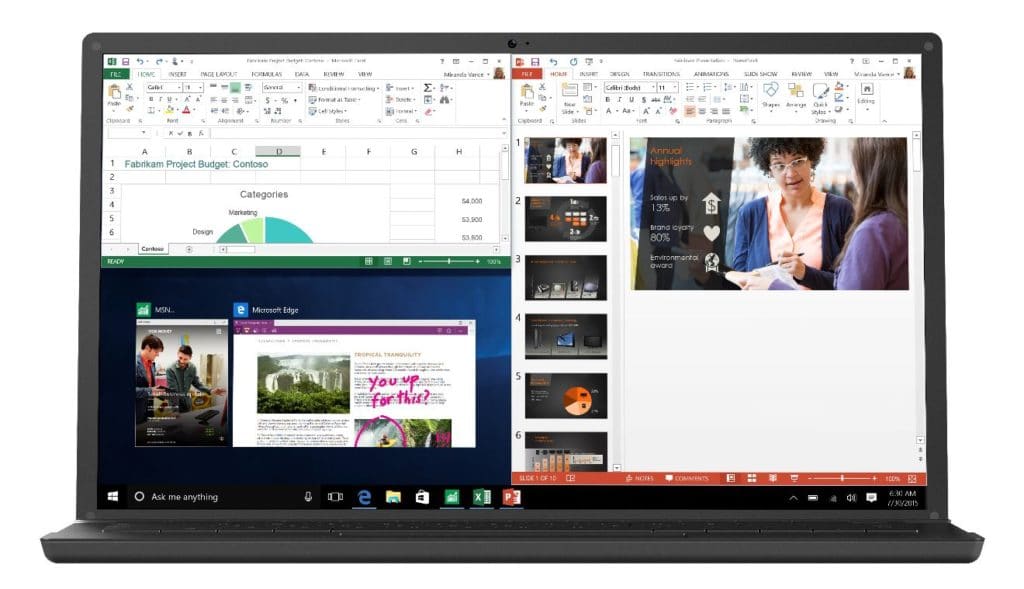
Leaving aside all the marketing gimmicks—IPS, Retina, OLED, InfinityEdge, and whatever new display tech they’re hyping up these days—there are only two things that actually matter for most students when choosing a laptop screen:
1. Resolution: More Pixels = More Productivity
If you want a better workspace and less scrolling, go for a higher resolution display.
- More pixels = more screen real estate
- More screen real estate = less scrolling and easier multitasking
- You can have multiple windows open side-by-side, which is a lifesaver for research-heavy assignments, reports, and even making flashcards for exams.
At the bare minimum, you want Full HD (1920×1080) resolution. Anything lower than that will feel cramped—trust me, I’ve been there.
2. Screen Size: Don’t Go Too Small or Too Big
You’ll hear people say “screen size doesn’t matter”—and that might be true for tablets, Chromebooks, or casual web browsing, but for a college laptop, screen size absolutely matters.
What’s the ideal range?
- 13” to 15” is the sweet spot.
- Anything below 13” is too small for serious multitasking or any software with crowded interfaces (like Excel, MATLAB, or Photoshop).
- Anything above 15” is just too bulky for daily campus life.
But What If I Need a Bigger Screen?
If you really need a large display for design, programming, or video editing, don’t buy a huge laptop—get an external monitor instead.
A 23-24” external display (like the ASUS VS247H-P 23.6″ Full HD) at home will give you all the screen space you need, without sacrificing portability on campus. Or, if you only need a bigger screen occasionally, just use the computer labs—they’ll have everything you need.
Spec #2: 13”-15” screen size, 1080p resolution recommended
A good display makes a huge difference in college—just keep it portable so your laptop doesn’t become a desk ornament after the first semester.
D) Processor: Expensive but not necessary
Your laptop’s processor (CPU) controls how fast your apps, programs, and software run. But let’s be real—for most college students, this is not something you need to obsess over.
Unless you’re doing 3D modeling, animation, simulations, rendering, or other CPU-intensive tasks, your laptop’s processor speed won’t be the thing that makes or breaks your experience.
Do You Really Need a Powerful Processor?
For basic college tasks like:
- Web browsing
- Writing papers
- Streaming lectures
- Basic programming
- Light photo/video editing
ANY modern laptop processor will get the job done—even budget ones.
And let’s be honest, you’re not building rockets for NASA while juggling finals, so there’s no reason to go all-out on the most high-end CPU available.
The Drawbacks of an Ultrafast Processor
Believe it or not, faster isn’t always better.
- Power-hungry CPUs = terrible battery life – High-end processors eat through battery life fast, sometimes in just a few hours.
- Overkill for 99% of students – Most of the time, you won’t even use that extra power.
- Heavy & expensive – Laptops with top-tier CPUs tend to be bulkier, pricier, and less portable.
I have one of those “beast” laptops—it runs 3D software and games flawlessly, but it’s so heavy and battery-draining that I never take it anywhere. It basically lives on my desk.
Unless you really need it, avoid laptops with ultra-powerful CPUs.
What’s the Best Processor for College?
- For most students → Any modern processor is fine.
- For STEM/technical majors → Go for an Intel Core i5 or Ryzen 5 to ensure smoother performance without sacrificing battery life.
- For heavy-duty tasks (3D rendering, simulations, data science, etc.) → You might need an i7/Ryzen 7 or higher, but consider using a desktop or school lab instead.
E) RAM: Cheap and Useful

What is RAM?
RAM (Random Access Memory) is basically your laptop’s short-term memory—it temporarily stores data for apps and programs while they’re running.
Think of it like a desk:
- The bigger the desk (more RAM), the more work (apps) you can spread out at once without things getting messy.
- A small desk (less RAM) means you’ll have to keep putting things away (closing apps) to make space.
How Much RAM is Enough for College?
4GB RAM – The Bare Minimum
If you’re just using your laptop for basic tasks like:
- Taking notes
- Writing papers
- Watching lectures
- Light programming
- Casual web browsing
Then 4GB RAM is “fine”, but it’s not ideal. You’ll start running into slowdowns if you have too many tabs or apps open at the same time.
8GB RAM – The Sweet Spot
This is what most college students should aim for. If you like to multitask with:
- Multiple browser tabs
- YouTube, Spotify, Zoom
- Office apps (Word, Excel, PowerPoint)
- Light photo/video editing
8GB RAM will keep everything running smoothly. Most modern laptops come with 8GB by default, except for budget models.
16GB RAM – For Heavy Users
If you’re in a major that requires intensive software, like:
- 3D modeling & design (AutoCAD, Blender)
- Video editing (Premiere Pro, DaVinci Resolve)
- Data science & simulations
- Virtual Machines (VMware, Docker)
16GB RAM is the better choice.
Can You Upgrade RAM Later?
- Some laptops allow RAM upgrades (mostly Windows-based).
- MacBooks and many ultrabooks do not. The RAM is soldered, so you’re stuck with what you buy.
- If you’re buying a laptop that can’t be upgraded, make sure to get enough RAM upfront.
Graphics Card (GPU): You probably don’t need it.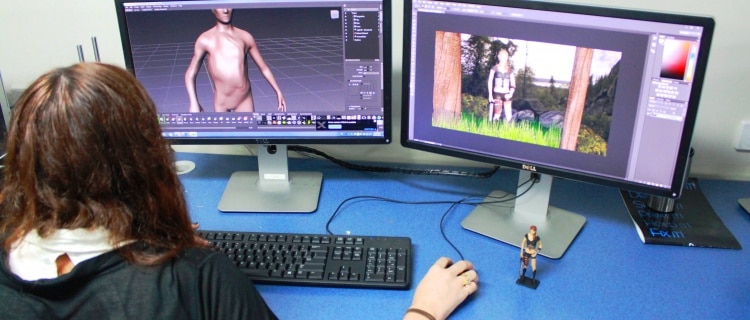
If You Don’t Know What a GPU Is, You Probably Don’t Need One
For 99% of college students, a dedicated graphics card (dGPU) is unnecessary. If your laptop is just for:
- Writing papers
- Watching lectures
- Web browsing
- Coding (non-graphics heavy applications)
Then integrated graphics (iGPU) will be more than enough—it’s built into the processor and keeps things efficient.
What If I Need to Run 3D Applications?
There’s a reason colleges charge a “technology fee”—it helps fund computer labs with high-powered desktops for students who need to use resource-heavy software like:
- AutoCAD, SolidWorks (Engineering)
- Blender, Maya (3D Animation)
- Revit, Rhino (Architecture)
- Premiere Pro, DaVinci Resolve (Video Editing)
Unless you’re working with 3D software daily, it’s smarter to use the lab rather than lug around a heavy, expensive, battery-draining laptop just for those rare assignments.
That said, architecture students or anyone constantly working in 3D should consider a laptop with a dGPU.
Who Actually Needs a Dedicated Graphics Card?
If you:
– Run 3D modeling software daily
– Edit videos, render animations, or work in game development
– Play demanding games in your free time
Then you’ll want a dedicated GPU. Even a mid-range GPU (RTX 3050/4050, MX 550, etc.) will be enough for coursework.
Why an Integrated GPU Might Be Better for You
For most students, integrated graphics (built into the CPU) has several advantages:
– Better battery life (dGPUs drain power fast)
– Lighter & cheaper laptops
– Fewer distractions (you won’t get sucked into gaming when you should be studying)
– Encourages lab work (you’ll be around TAs & classmates for help)
Storage: Invest on an SSD if you can
How Much Storage Do You Really Need for College?
Don’t Stress About Storage Too Much
For most students:
- 128GB is fine
- 256GB is more than enough
Word docs, video lectures, and basic programs take up almost no space.
Who Actually Needs a Lot of Storage?
If you:
- Work with large files (video editing, 3D modeling, CAD, animation)
- Store tons of PDFs, textbooks, recorded lectures, movies
- Want to download a bunch of games
Then 512GB to 1TB might be a better option.
External Storage: The College Life Saver
Honestly, an external hard drive is a must-have, no matter what your major is.
- Laptops get lost, stolen, or break (usually right before a deadline).
- It’s way easier to recover files from an external drive than a dead laptop.
- People don’t ask for their laptops back—they ask for their files back.
If you need a solid external drive, something like the LaCie Rugged Mini USB 3.0 is great—it’s tough, reliable, and works with both Mac & Windows.
Why You Should Get a Laptop With an SSD
A Solid State Drive (SSD) is more important than storage size. Why? Because:
- Faster boot times – Your laptop turns on in seconds, not minutes.
- Faster app loading – No waiting around for things to open.
- Better durability – If you drop your laptop, your data is less likely to be lost.
- Less noise – No loud, annoying clicking sounds in the middle of class.
- Longer battery life – SSDs use less power than traditional hard drives.
- Better system cooling – Less heat = less risk of your laptop overheating & shutting down in the middle of an assignment.
Summary
For All College Students
- RAM: At least 4GB (8GB recommended, 16GB only for special cases).
- Processor: Any modern i3/i5 will do. i7 is unnecessary unless required for heavy applications.
- Storage: If budget allows, choose an SSD over extra RAM or an i7 processor.
- Weight: 3–4 lbs for portability.
- Battery Life: 6+ hours minimum to avoid constantly searching for outlets.
- Display: 1080p (Full HD) resolution or higher recommended.
- Screen Size: 13″ is ideal, balancing usability and portability.
For Engineers & Programmers
- Screen Size: 13″ minimum for coding, CAD, and engineering tools.
- Processor: i5 recommended for better multitasking.
- RAM: 8GB recommended for compiling code and running simulations.
For Students Running Heavy 3D Software (Architecture, Animation, Design, etc.)
- GPU: 1–2GB dedicated graphics (minimum).
- RAM: At least 8GB (16GB recommended) for rendering and large projects.
- Display: 15″ screen for better visibility.
That said, don’t waste money on a high-performance laptop unless absolutely necessary. Most schools have computer labs with powerful desktops for these tasks. You might only need a high-end laptop for one or two classes, while the rest of your time will be spent on Microsoft Word, Excel, and research.
Conclusion
With access to desktops at home and in campus computer labs, your top priority should be portability, followed by battery life. A lightweight, efficient laptop will serve you far better in the long run than a bulky, overpowered one that never leaves your dorm. Keep that in mind when shopping for the best laptops for college.
Comments?
If you have any questions or if you want more recommendations based on your degree, assignments or budget. Let us know in the comments below.
